Website powered by

Finally, you to can have your own surface scanner.

General / 24 February 2020

Well....

It seems like it took forever, but it's finally done. After saying I was going to release my scanner to the world I've finally have. https://www.artstation.com/daverig/store/2k3w/scanning-reality-box-srb-1-blueprints 


I have re-branded it the Scanning Reality Box or SRB-1, ScanBox just didn't seem catchy enough :)

If you have been following the progress of the build and were interested in having a scanner of your own, now's your chance. The original plan was to sell complete kits but I didn't think I could or want to produce them, would have been too much effort without creating a proper production pipeline.

Also I know a lot of people have built there own after my original posts of building the 1st scanner. I expect this to continue, but the kit is a good option for people that don't want to go though the effort of figuring out the details for their build. 

Not sure what is next for me. Producing the scanner introduced me to 3D printing/manufacturing world which has really pulled me in. So much so that I now also have a CNC machine , which actually would make producing the scanner easier :)


I plan to make a tutorial video of my workflow Start-to-Finish for scanning something so people have a idea of how I uses it. Other than that if anyone has any requests on info for the scanner let me know in the comments below.


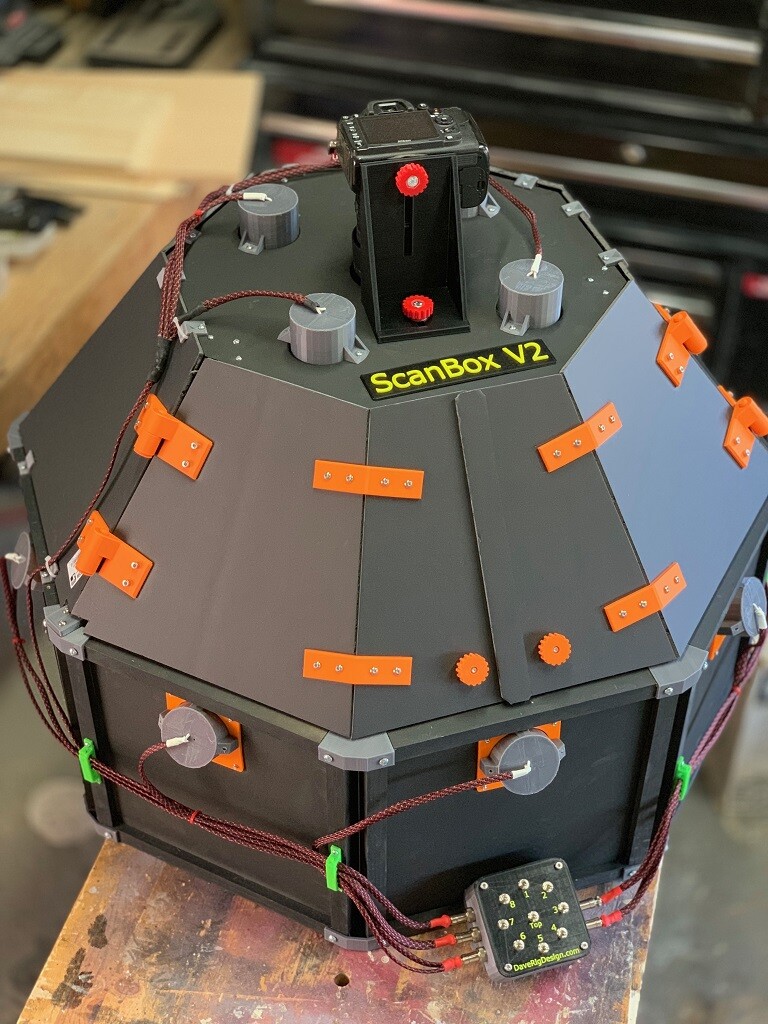
The wait is over.... ScanBox V2 has arrived...

General / 27 June 2019

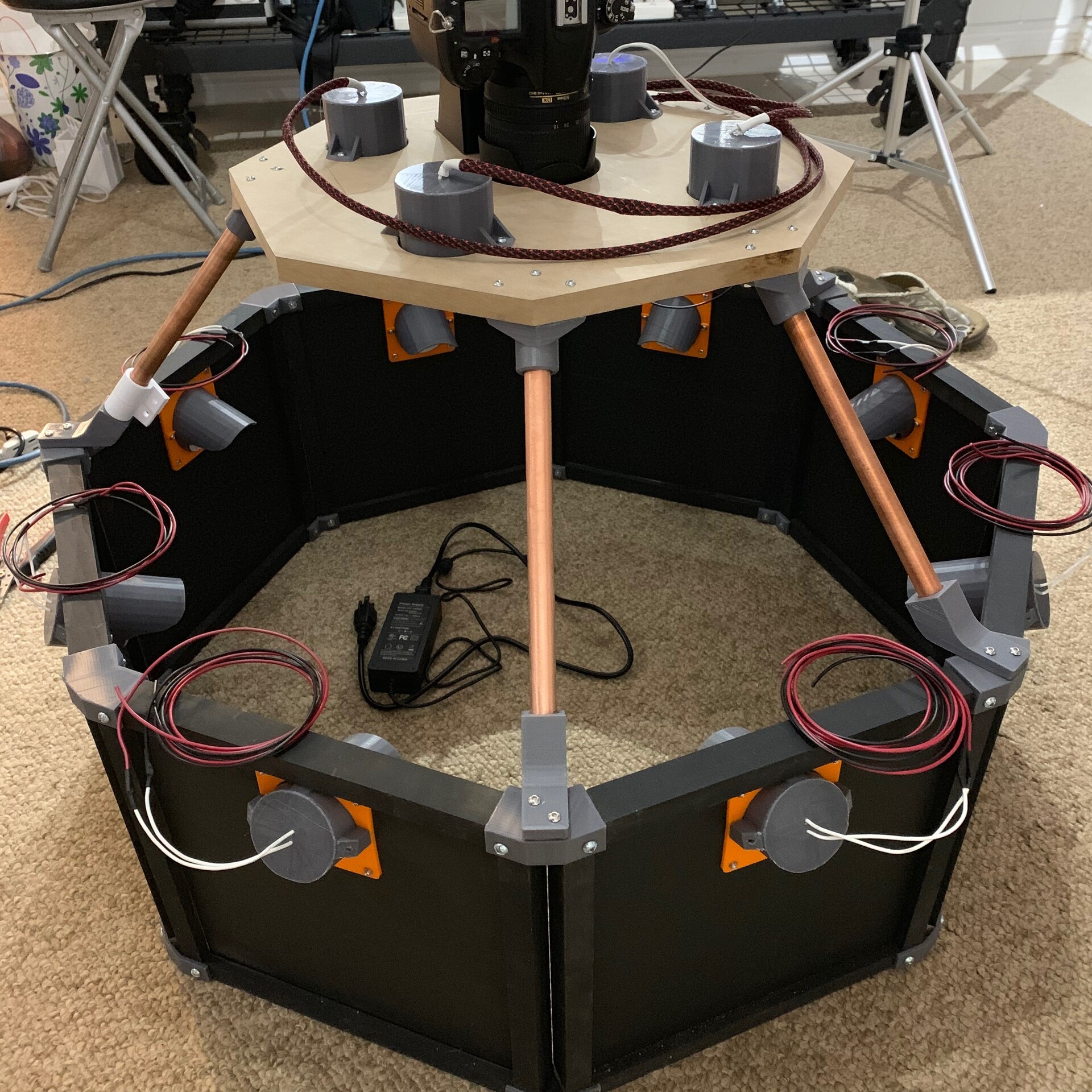
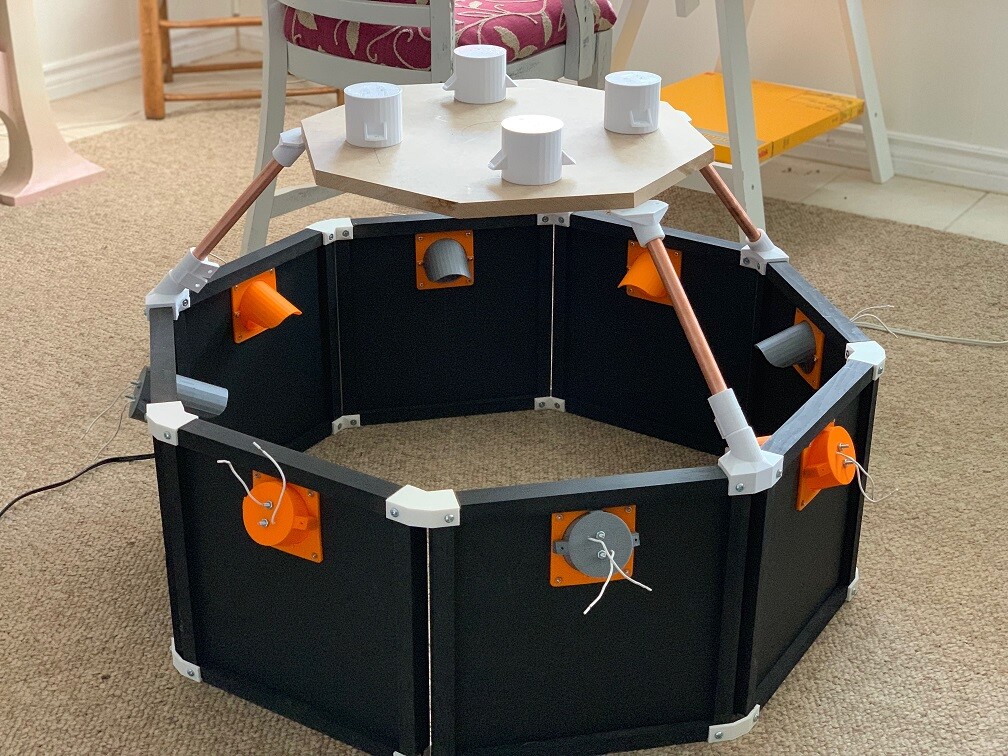
After a long wait, it’s finally here... Completely redesigned from the ground up

Scan Box v2


I've done away with hot glue and MIG welding and incorporating advanced 3D printing technologies in the manufacturing process, there’s still a little bit of tape though.


Scan box v2 also now run on a 12v power supply instead of 120v which greatly lowers the risk of people curling their hair by touching the wrong wires.


As easy to assemble as any item from your favorite Swedish furniture company you only need a screw driver to put everything together, and maybe a little soldering.


Paired with substance designer, capture almost any surface and accurately digitally re-create it in the digital word with normal maps so sharp they'll cut your eye balls (not responsible for eye injuries from looking directly at the normal maps)... :)


Ok, Sales pitch over... Wow am I happy to have finally finished this, well almost finished. I still have to add the polarizing filters but that's more of a add on. I'm still using wood beam and foam core board to keep it light and the cost down. I'm already thinking of V3 and using Extruded Aluminum. That will make it much sturdier but much heavier and cost more. With it running on 12V DC now you could also run it off battery power and be mobile.

 This took a lot longer then I thought for 2 reasons. 

First designing and printing structural parts to be 3D printed was challenging.  I could have made the faster and easier by hand but the point of printing is now I can make more with the press of a button. 

Second I had no idea how much I would like designing and printing things which took a lot of time away from the build. For example this, (I downloaded this model though, didn't design it myself):


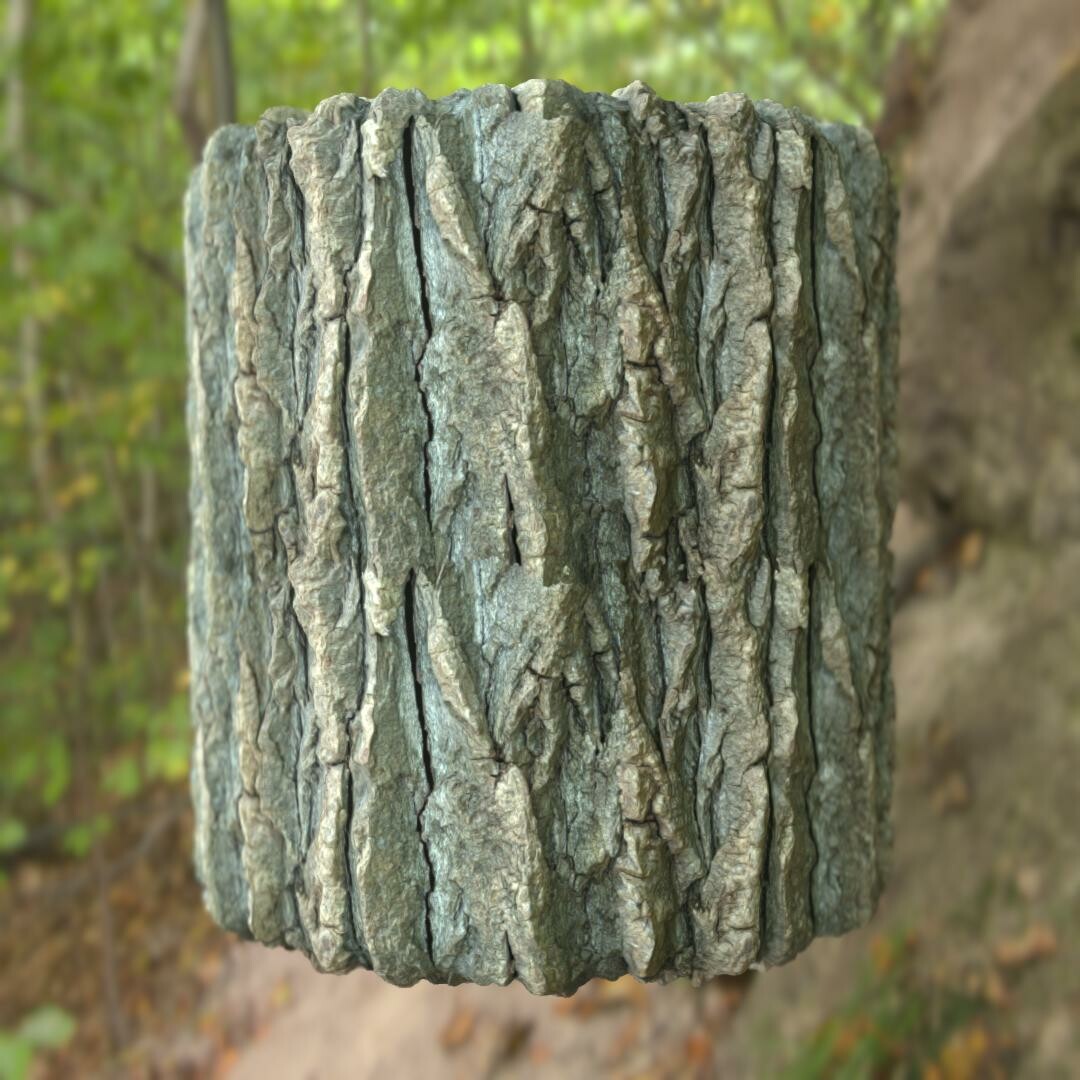
Functionally it's pretty much the same as the original scan box. I've only done a few test so far and I haven't taken the lenses off the lights yet so I'll need to do that still and compare the results. Here's a couple of the test.

So I found this bark on a hike a few months ago. A huge piece has just pulled off the tree. I had to cut the ends off for it to fit in the box.

Really liking the new rendering options in Designer. :)

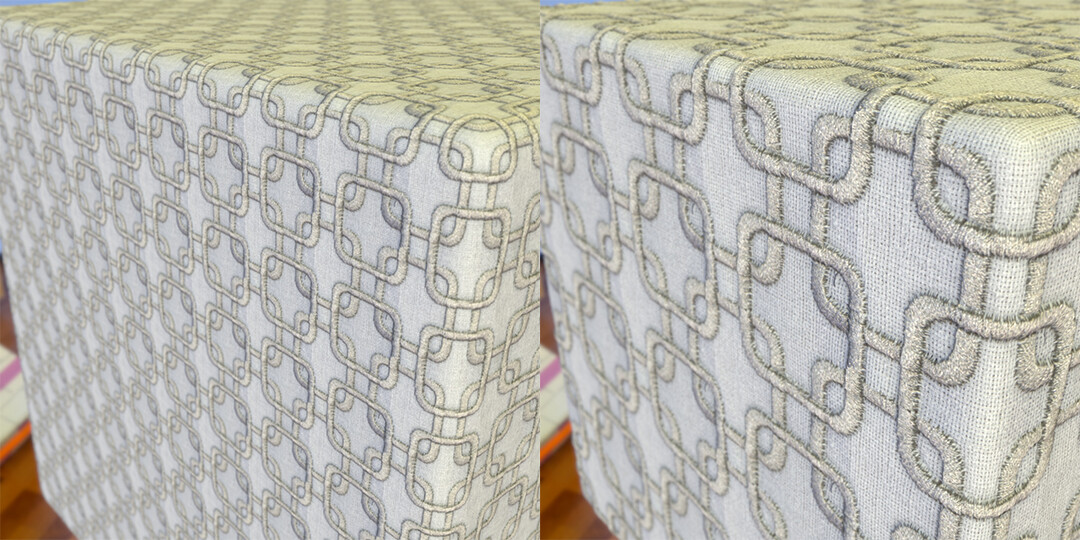
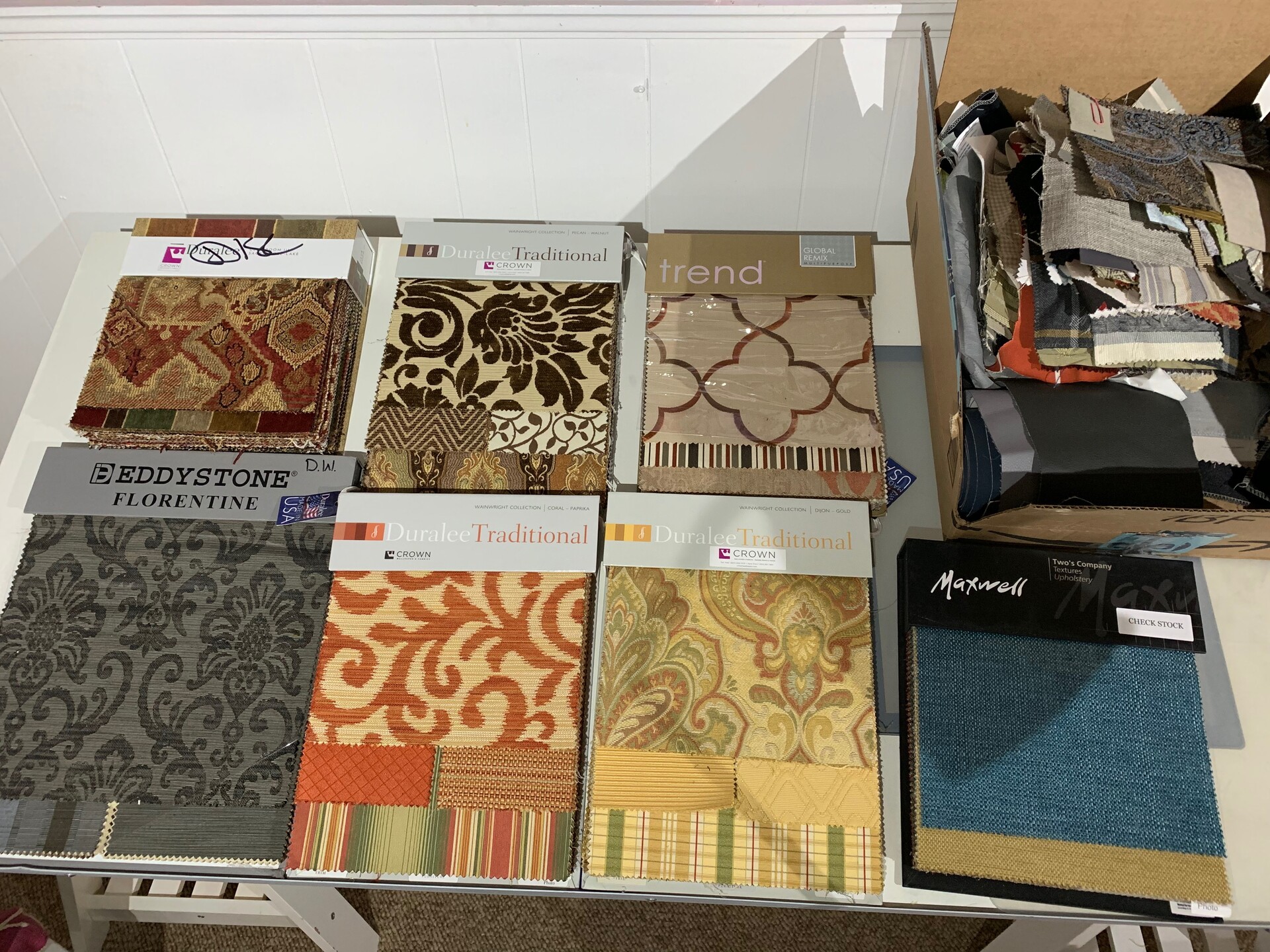
I tried a few fabrics also. I could someone getting rid of a bunch of fabric samples, and I still need to sort them but I just grabbed a few to test with. 


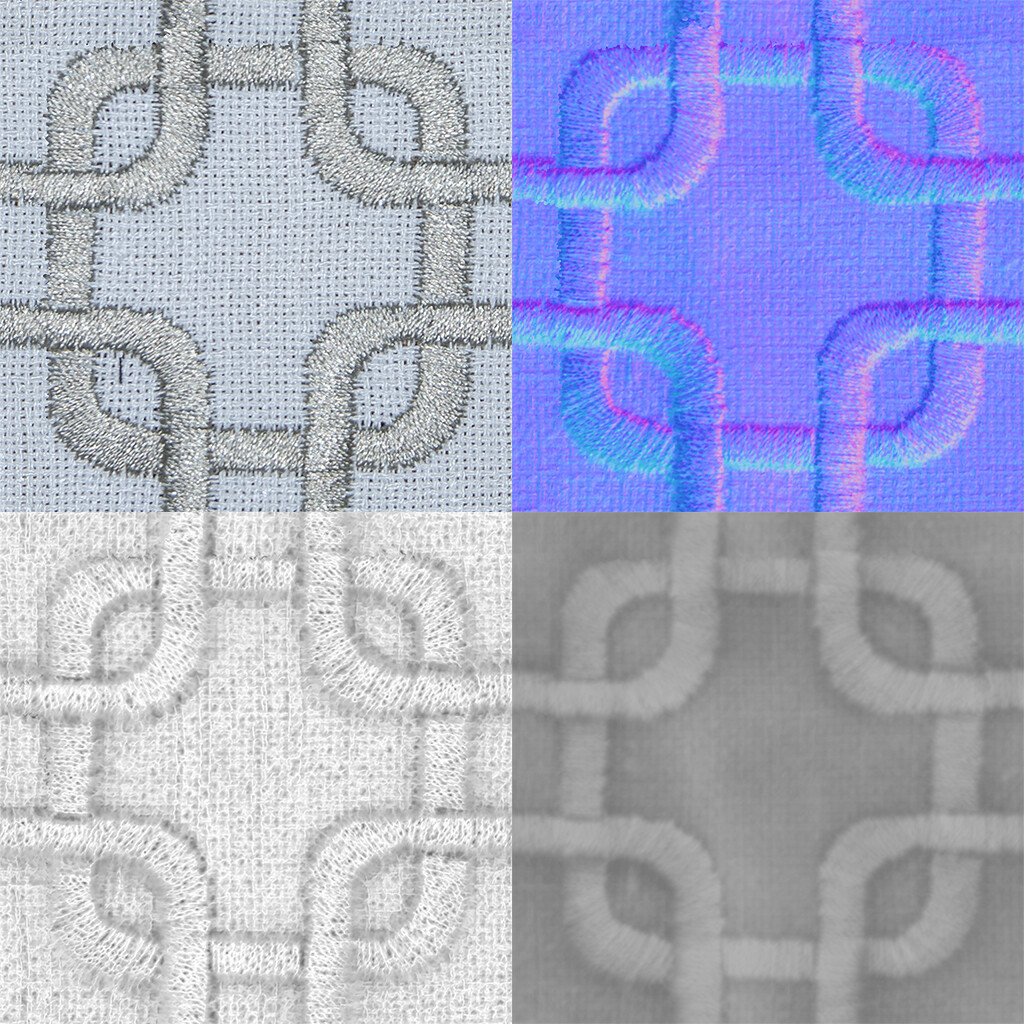
I ended up cropping down to a small area so it tiled nicely. In the future for patterns like this I may just photograph a very small area like this to start.


And a few similar ones.

I didn't notice the little black spec in the top right, I'll need to clone that out. this fabric so I ended up with this odd crop after adjusting the auto tile node but is still seemed to work.


  Looks interesting on the material ball :)

These other 2 scans were of fabrics with no really design, just a weave pattern so I put them on some other meshes. These are tiling 2-4 time I think.


Keep watching as I'm going to start posting more scans as I go though the big box of fabric I found. 

Since my posts on the original scanbox many people have reached out to ask for tip as they try to build their own scanbox. I'm always willing to lend some advice so don't be afraid to ask. Also if you are looking for something of a more professional interaction I can also help consult on your scanning needs so just have your people call my people. :)

I had thought about selling the scan box once it was finished so now I just have to figure out how I want to do that. I also need to see if there is a interest so let me know in the comments. Or maybe Allegorithmic / Adobe want to do a collab???

Anyway till later and thanks for reading.

All Most there......

Work In Progress / 08 May 2019

The end is in sight for Scanner 2.0

All the printing for the connecting and mounting hardware is finalized. You'll notice everything is grey now, that's because all the parts have been re-printed using PETG instead of PLA for stronger components. The plates on the panels are riveted on so those stay orange PLA :)

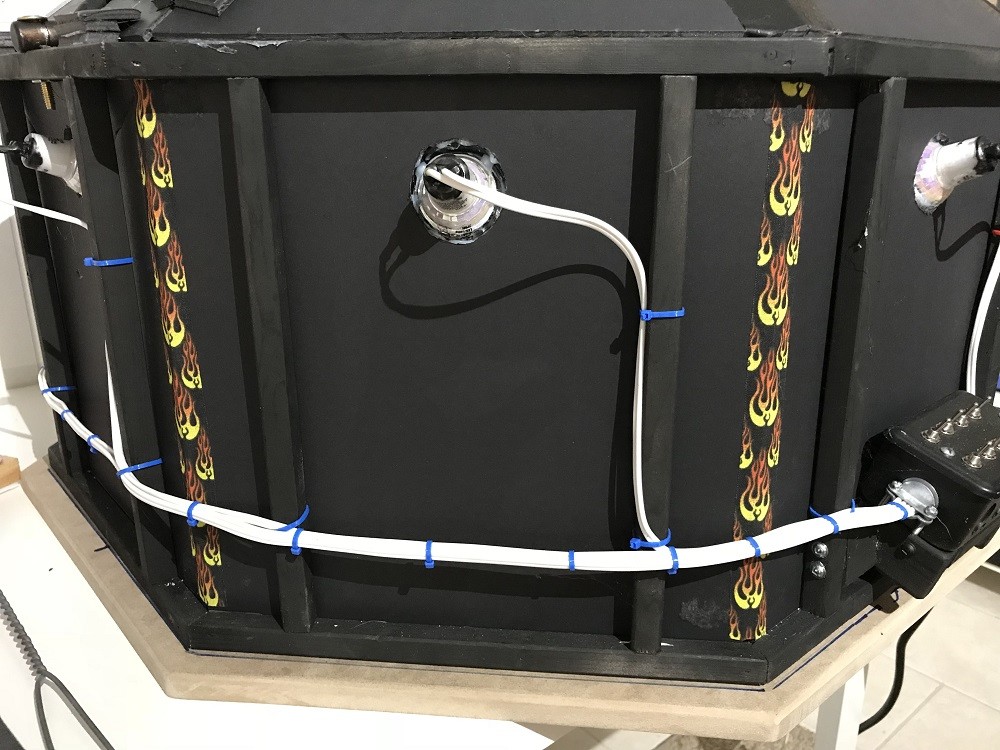
Wiring is also almost done. I was always concerned that the kit used 110V power which is dangerous if you don't know what you are doing so I made some changes and now it runs off 12V DC power. So in theory it can also be portable if you hook up a battery.


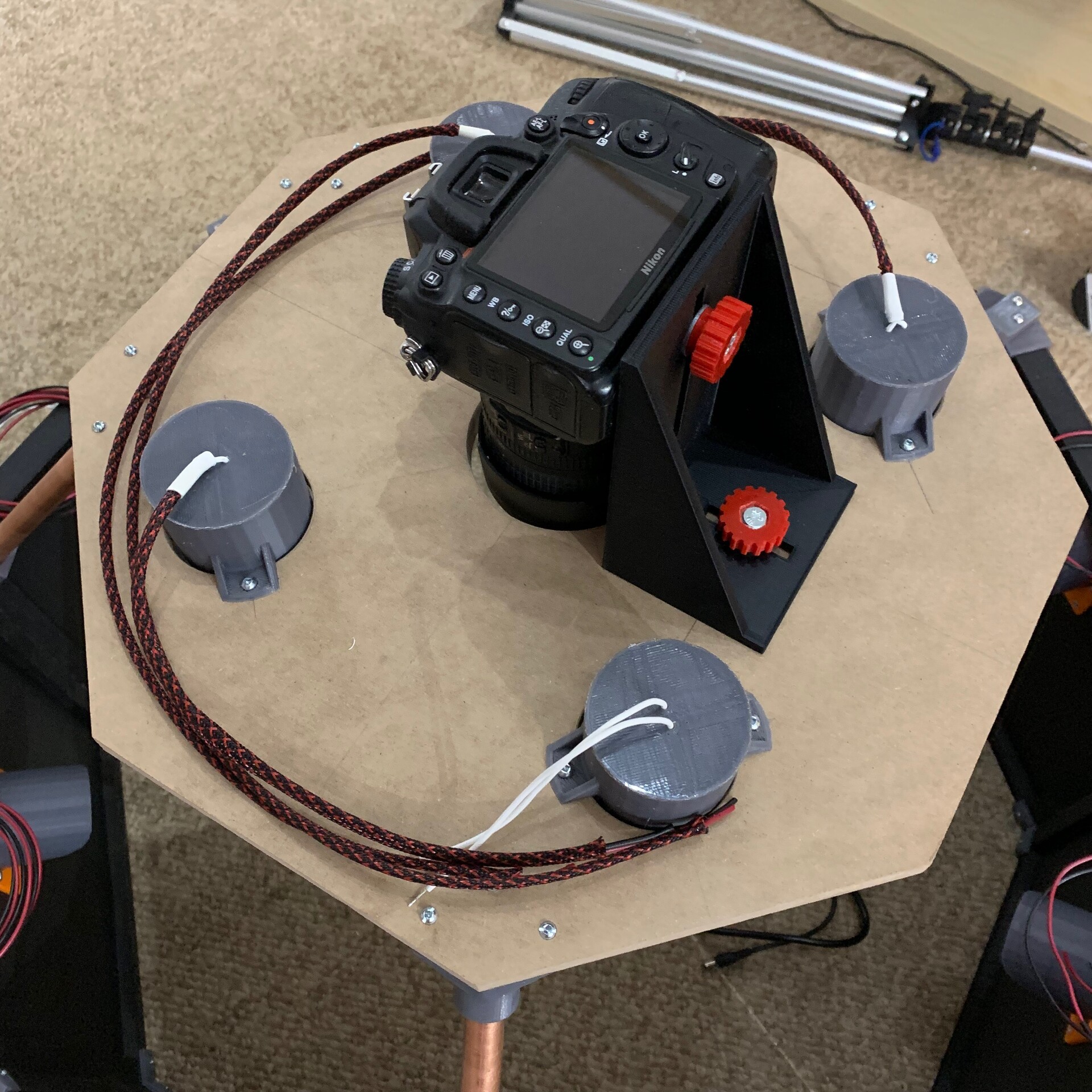
  Camera mount is simplified, no longer needing to be welded, but still flexible to support different camera/lens sizes 

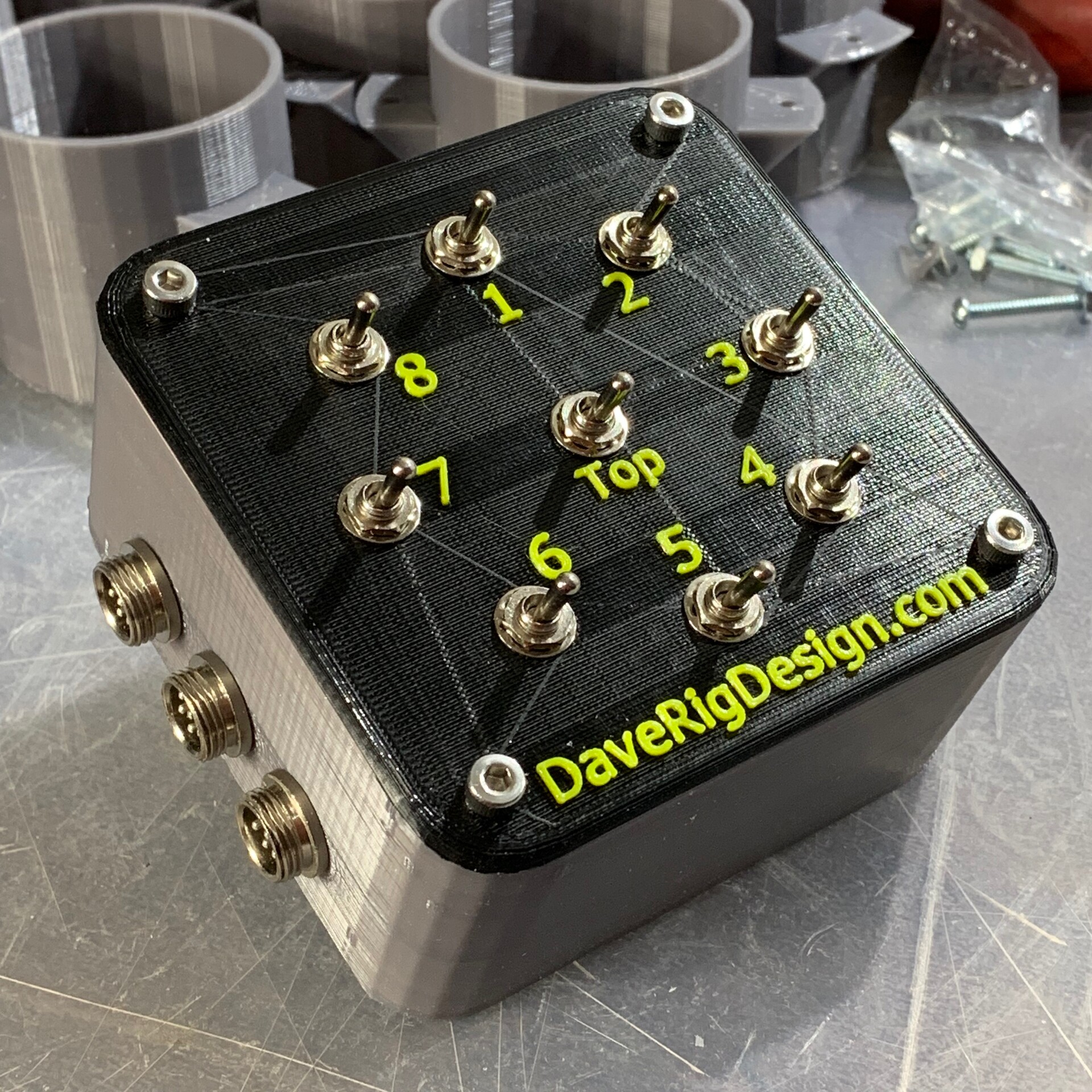
The Scanner is also sporting a new 3D printed control panel. 


  All that's left now is design/print the panels that will hold the polarizing film over the lights and the upper cover and doors.

On a side note, My wife found someone getting ride of a bunch of fabric sample books and loose pieces so once the scanner is done I'm going to be busy producing assets...

Stay tuned

Not forgotten...

Making Of / 26 March 2019

I know there have been big gaps in updates to the scanner 2.0 build but things are still moving forward... just very slowly...

Last week I was able to print of mounts for the upper section and on the weekend I was able to do a rough assembly.


The issue was a small measurement error in the 3D model caused a large misalignment in the physical one... :(

But I found the error so just need to make some adjustments and reprint a few parts. In the process of trouble shooting the issue I was able to rethink some design choices and managed to come up with some better solutions. 

Stay tunes as I think I'll be wrapping this up very soon, and then we can see who wants one :)  

Open for Business...

General / 02 March 2019

I've been away from doing anything with scanning for a while but am finally getting back around to finish what I started.

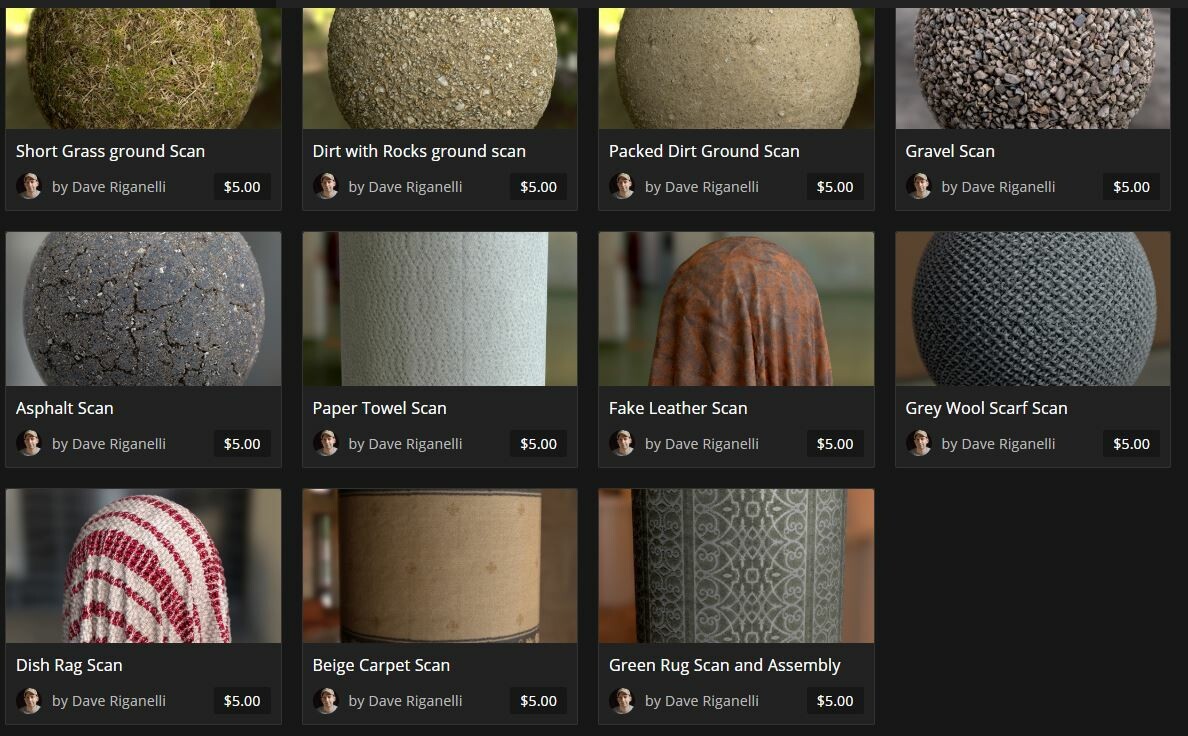
One thing I have been putting off is making my material scans available on the store here, but I finally got that finished today. https://www.artstation.com/daverig/store

All the files have 4K maps, the designer SBS file and the source scan images and have a commercial licence. So you can use them as they are or open the graph and play with the scans to adjusts them to your liking.

If there are any questions let me know in the comments and if there is something you would like that I didn't post let me know and I'll get it up there. That goes for requests too, if there is a material you would like to see scanned let me know and if I can get my hands on it I'll scan it.

Also there should be some updates on the scanner 2.0 build in the near future so stay tuned.


Scanner 2.0 Phase 1

Making Of / 06 November 2018

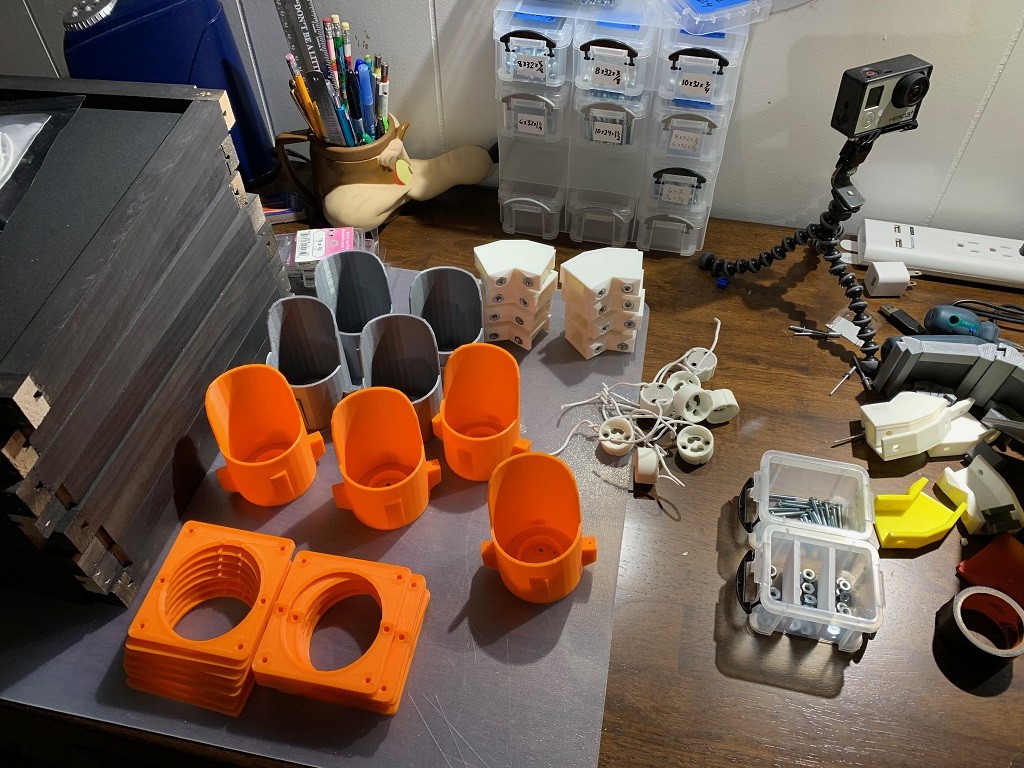
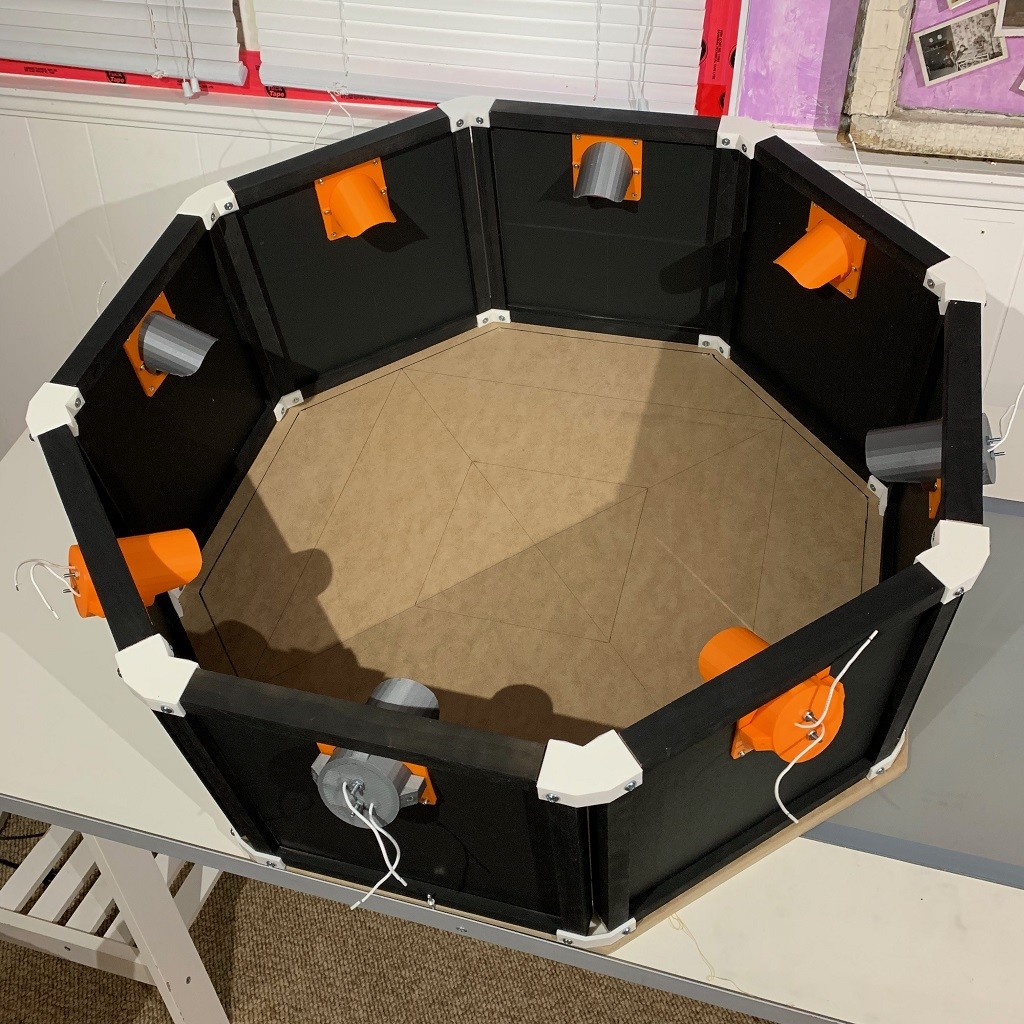
Finally I have some real progress to share on the scanner 2.0 build. Now that I had all the pieces designed it was just finding the time to print out all the remaining parts and assemble them. Here are the parts the will makeup the octagon base of the scanner. All the light parts were supposed to be orange but I ran out so 1/2 ended up being silver.


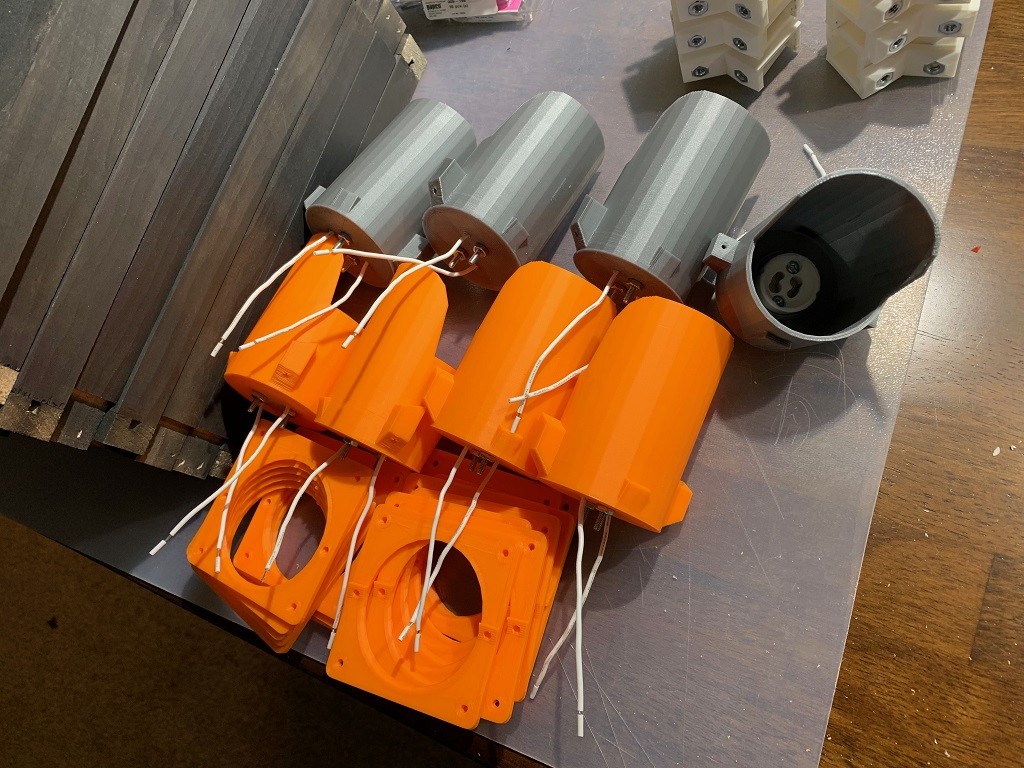
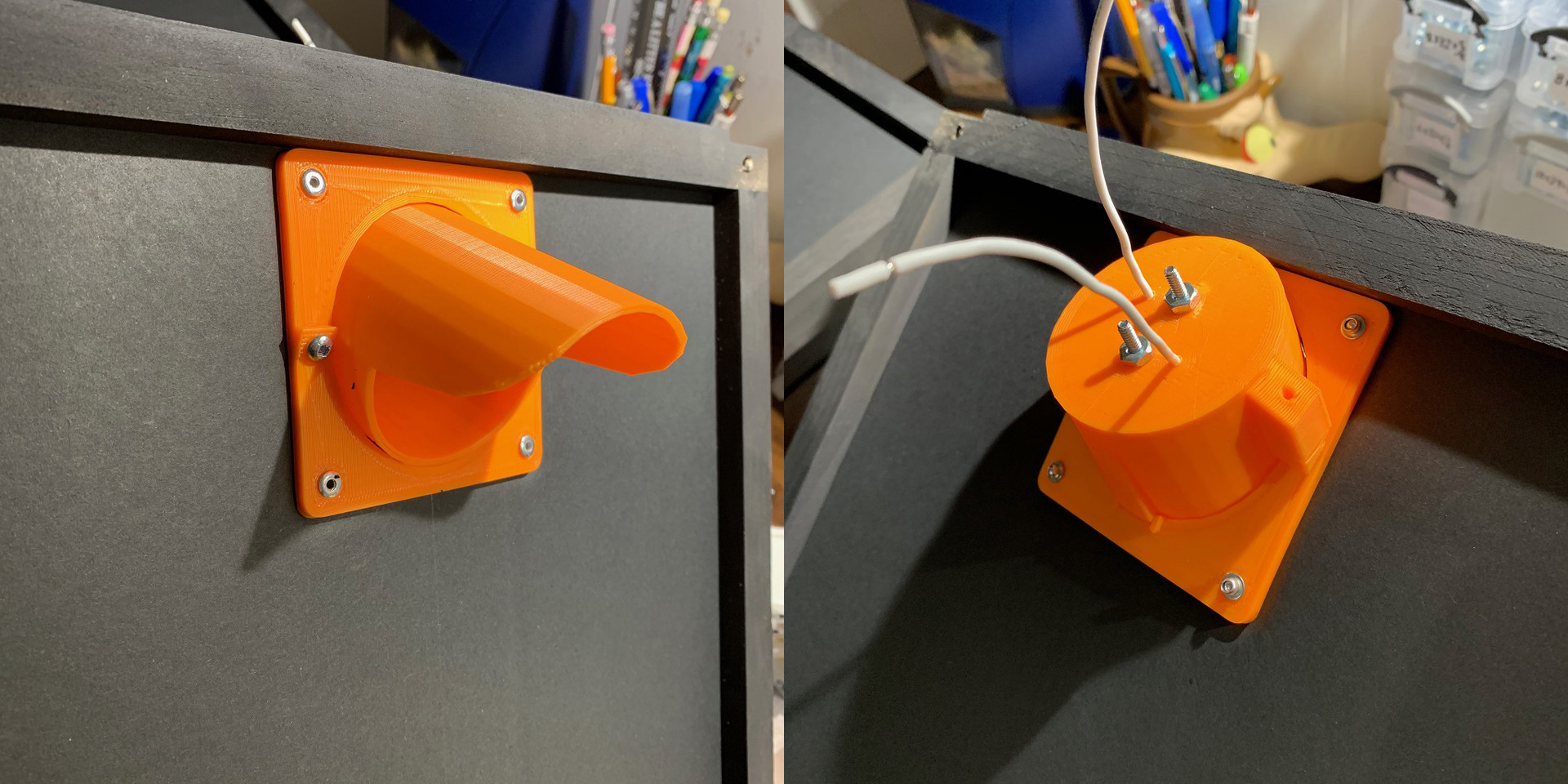
1st step is wiring the lights. This time instead of connecting the wires directly to the bulb I used sockets. This is a little more secure and allows for easily replacing the bulbs. The lights were printed with this in mind so the sockets just need to be inserted and bolted in place.


Here all 8 lights with their sockets installed.


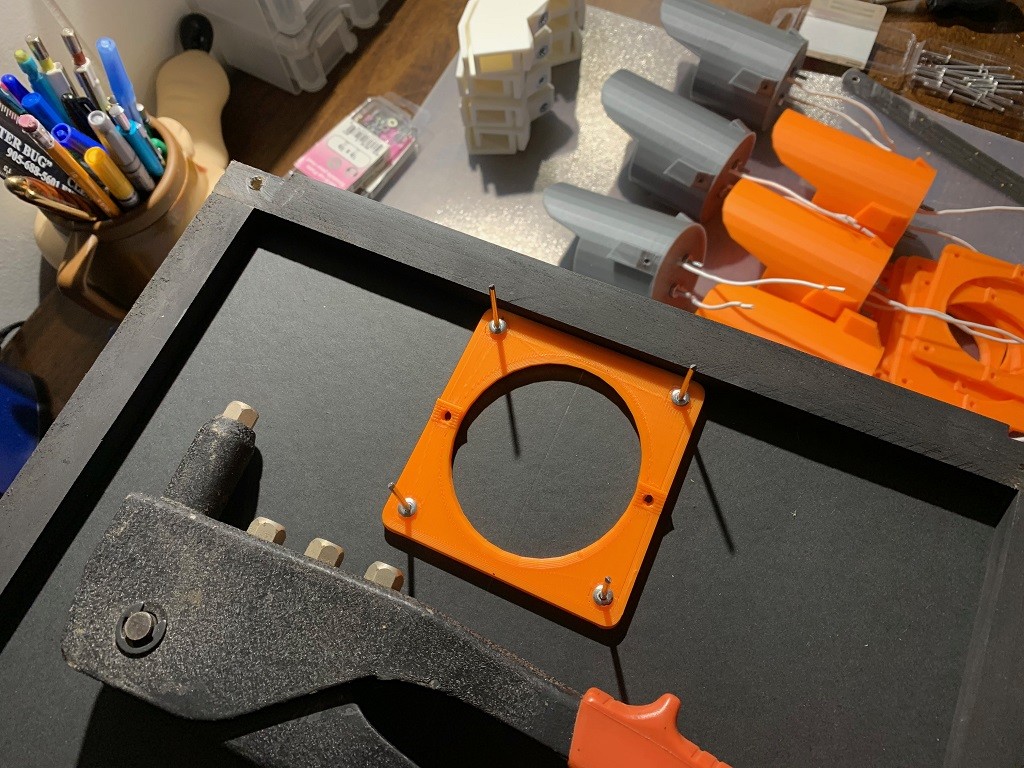
Now onto the mounting plates. This consists of 2 plates that sandwich the foam core panel. I went with riveting them in place as rivets are cheaper then nut&bolts and once attached they don’t need to be removed.


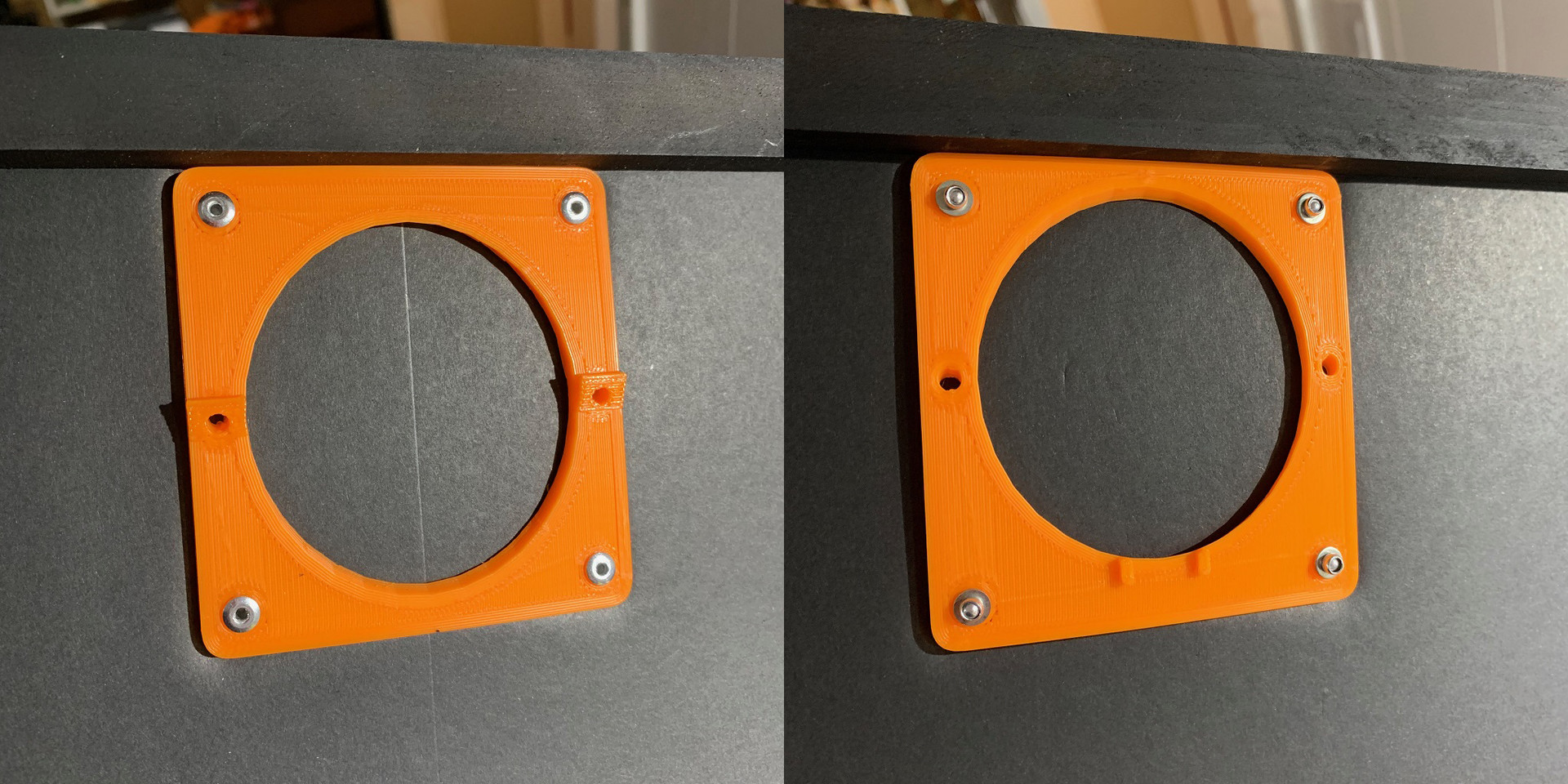
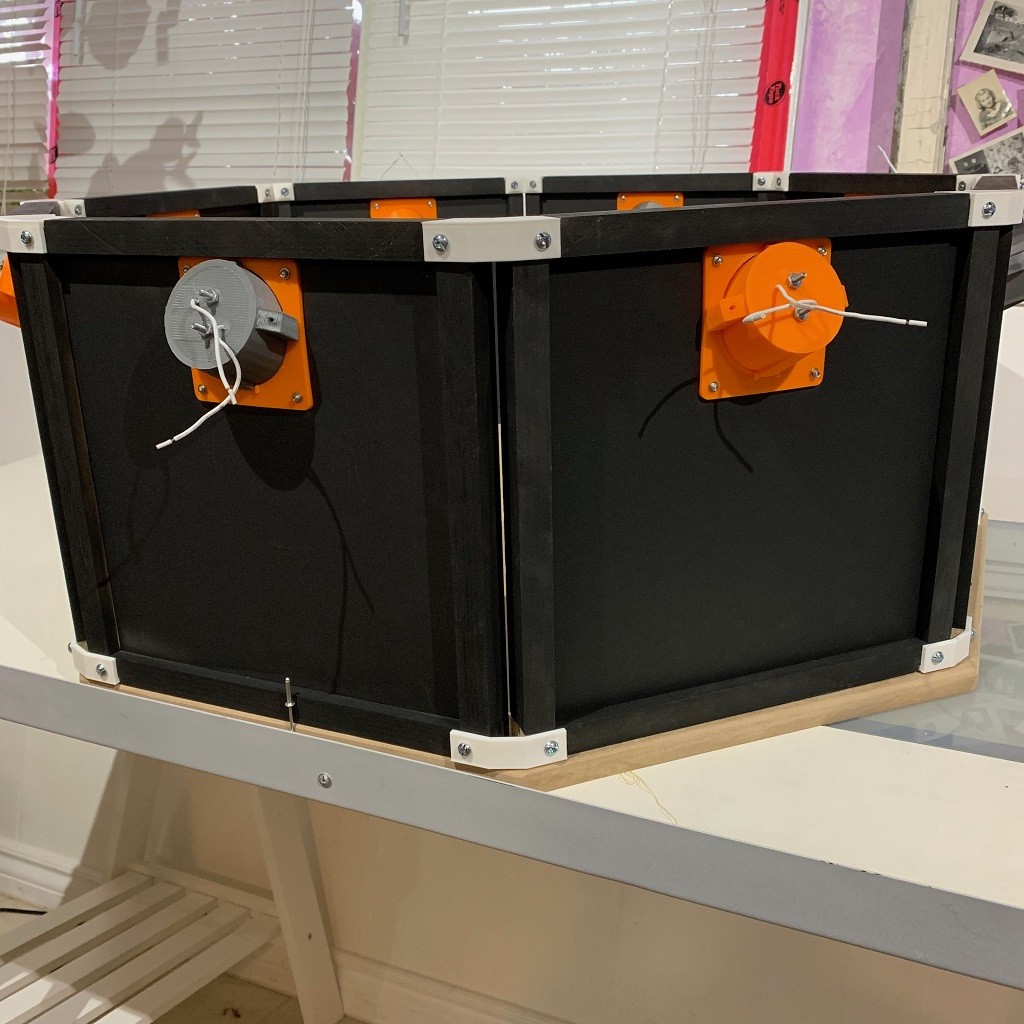
Here’s the final look of the front and back of the panel.


Once the plates are attached the center foam is cut out to allow for the light to be attached. The lights are then screwed to the plates. I may change this to use magnets in the future so it's simpler to assemble and break down.


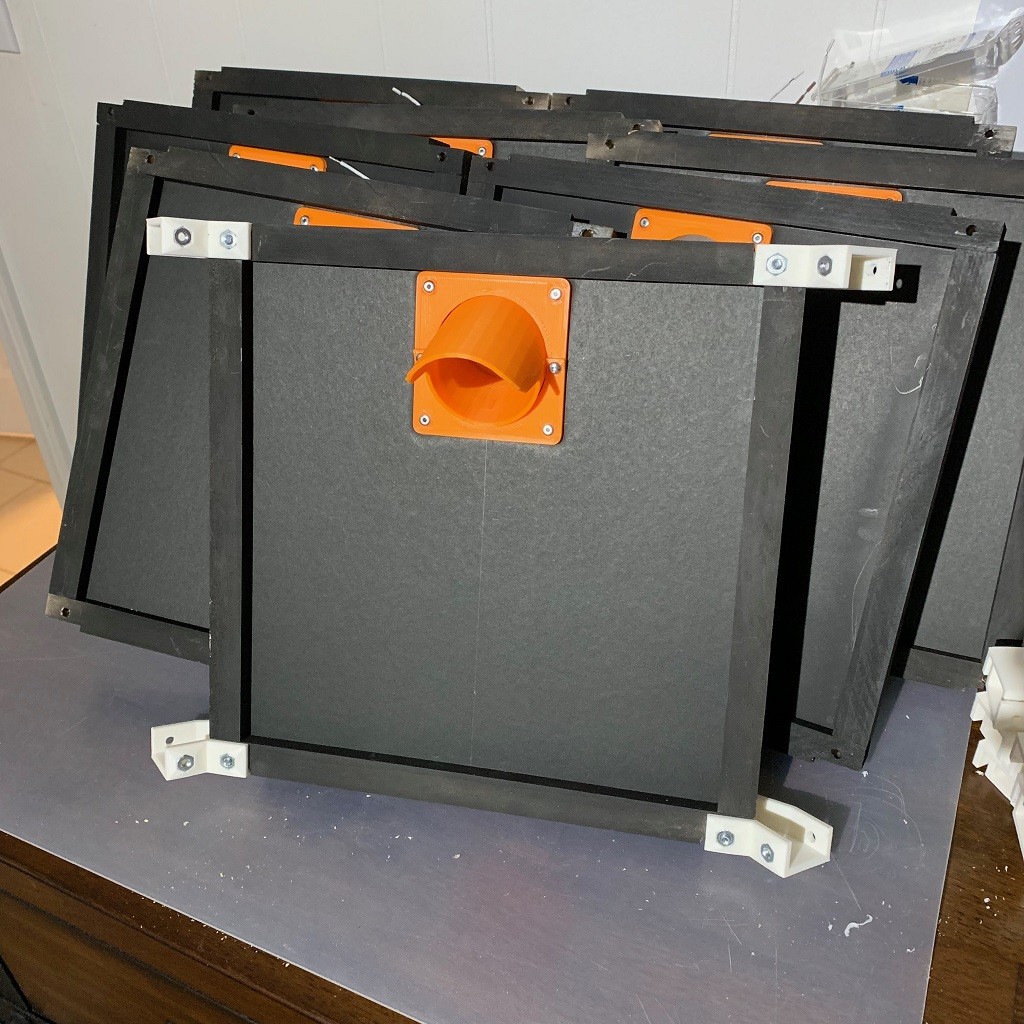
All 8 panels assembled.


Ready to build the octagon. Just need to add the corner brackets to each panel and bolt them together.


And that’s it, one light octagon assembled. Without the riveting it takes about 10 min to assemble the lights and panels.


Not sure if I’ll tackle wiring next or the upper section. Wiring should be straight forward but there are 4 more lights in the upper section so may be better to wait and do all the wiring at once. Also need to decide if I’m going to add the polarizing filters to the upper lights. 

Well that’s all for now. Sorry for the long delay between posts but designing the parts to be easily replicated and that work with the constraints of 3D printing is a bit complicated. Much harder then slapping together a one off prototype with tape and hot glue 😜

I also need to figure out what to do with the scanner once it’s done. I won’t need two of them. 😗

Thanks for reading and stay tuned. Hopefully I'll be able to work on this more that I think I'm done playing with with my 3D printer. Although I did just get Red Dead Redemption 2 so that may impact things :)

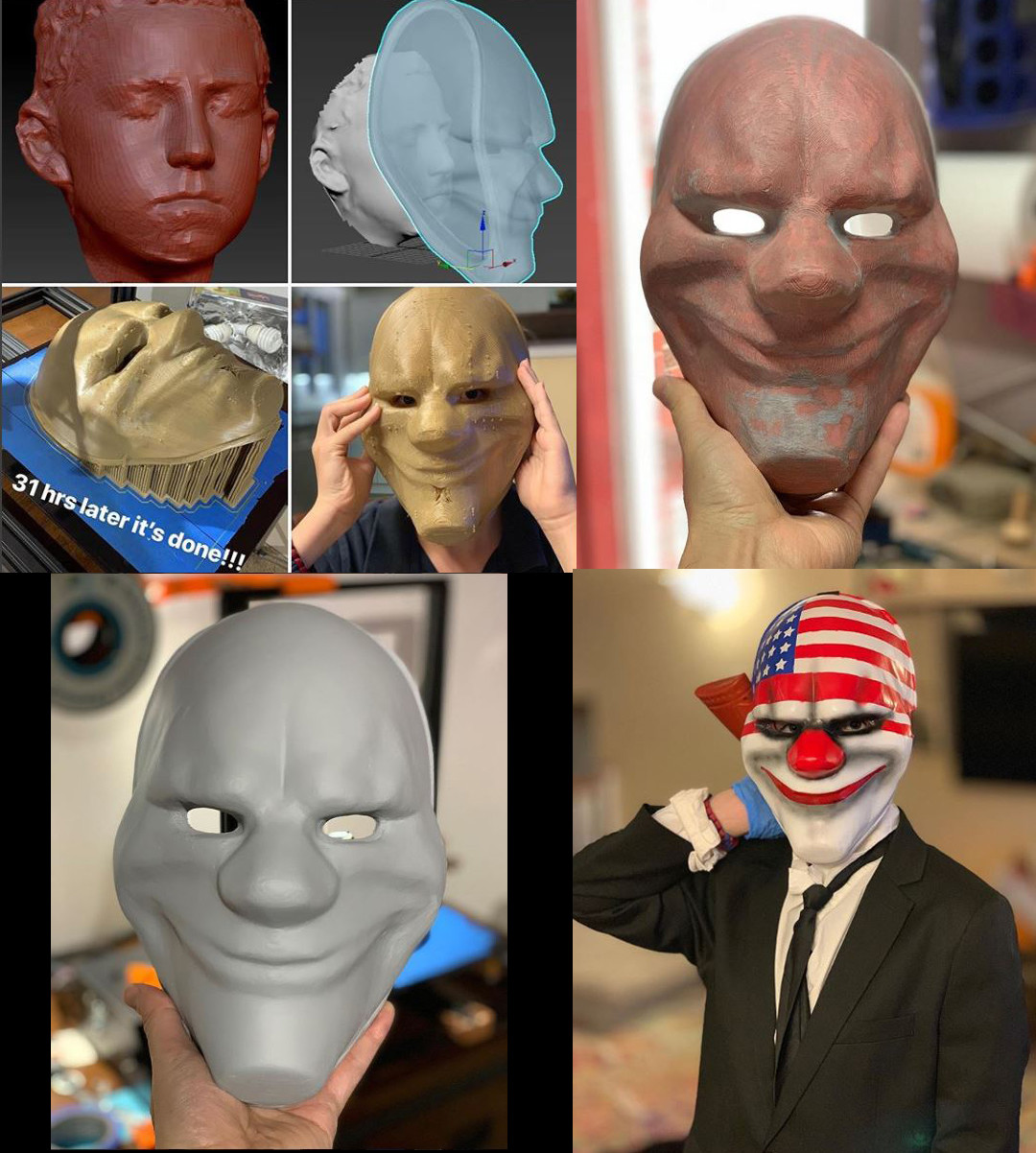
PS. For what delayed me last week, I was making props for my kids Halloween costumes. My son's took the most time as he wanted a mask from PayDay2 so I downloaded a mask someone modeled online, scanned his head so I could scale it properly and printed it out. Then needed to finish it by sanding, fiberglass, glazing putty, and paint. 


Quick scanner update

Making Of / 24 October 2018

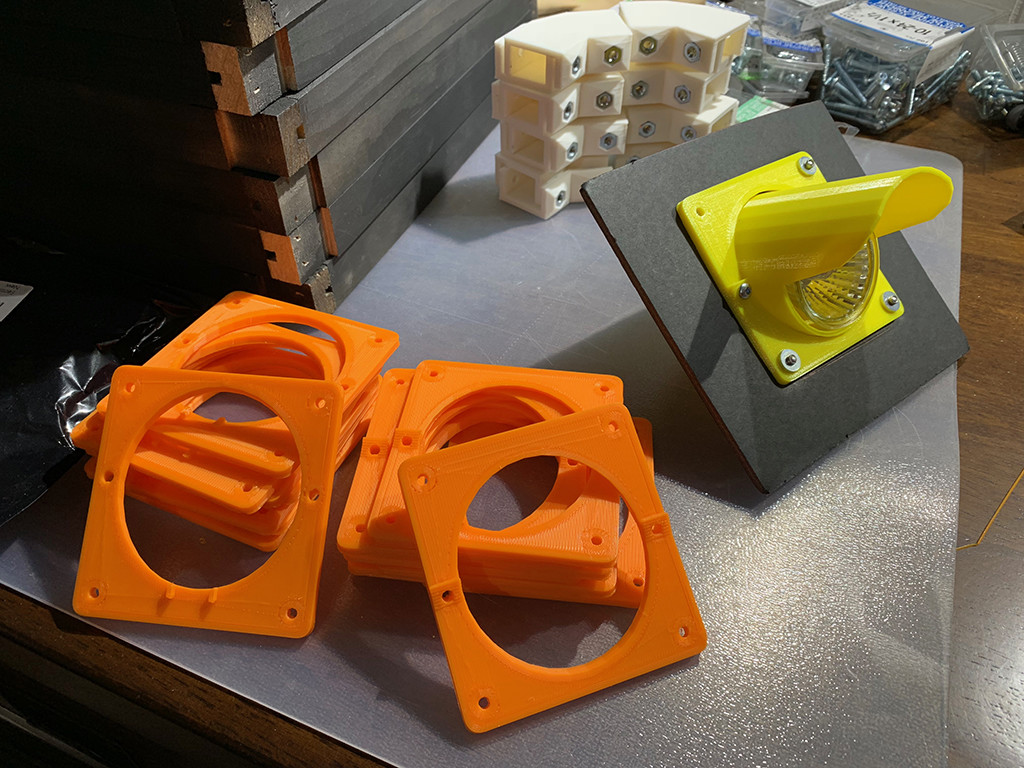
Finally got past a big step by finishing the design of the light pods and mounting plates. Yellow is the final prototype and the orange is the 1st production batch of mounting plates :)

Just have to print up the light pots now and the base will be ready to assemble!!!


Building the walls

Making Of / 19 September 2018

Here we are at take 2 of the panel design. As I mentioned in my last post the fully 3D printed panel frame wasn't going to be practical so I went with a wood frame. This was actually my original idea for the 1st scanner but making the brackets to connect them was going to be too time consuming, this was pre 3D printer though.


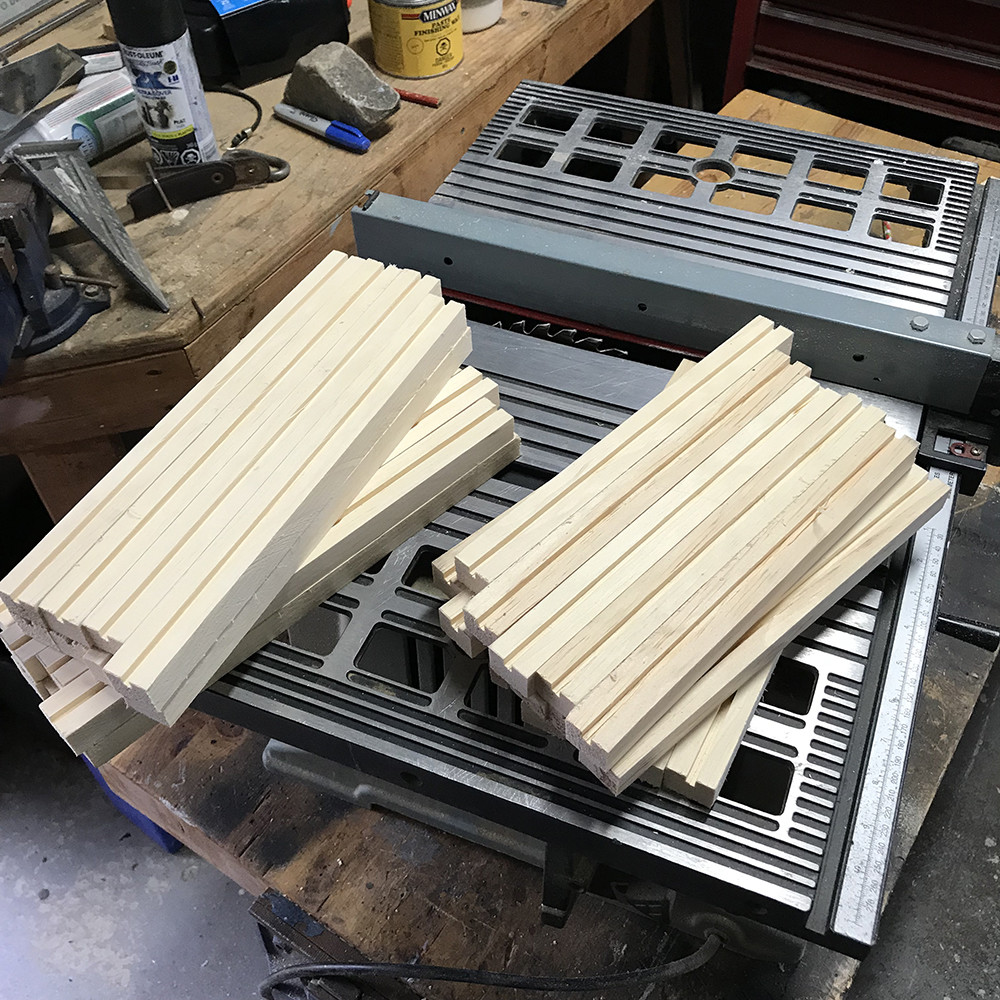
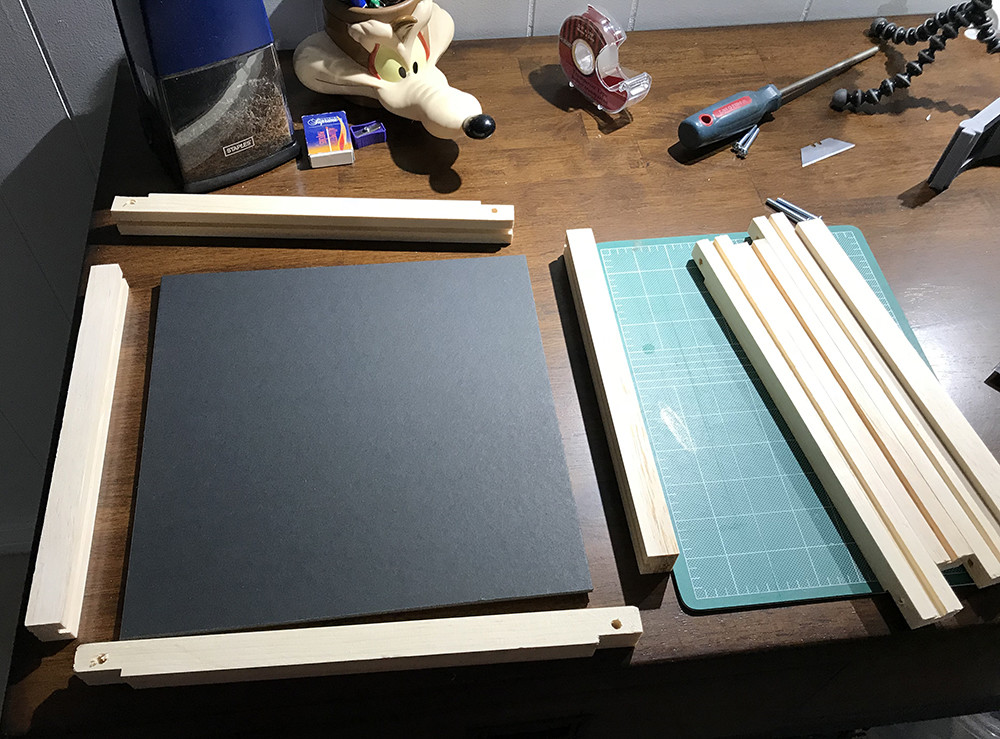
So I started out with a 8x4x3/4 inch board and milled it down into strips for the frame and then cut them to length. After that the slots for the panels were cut into all the strips.

The top and bottom pieces are a bit longer then the sides as they overlap the sides. They also have their ends milled to accept the brackets that hold them all together.

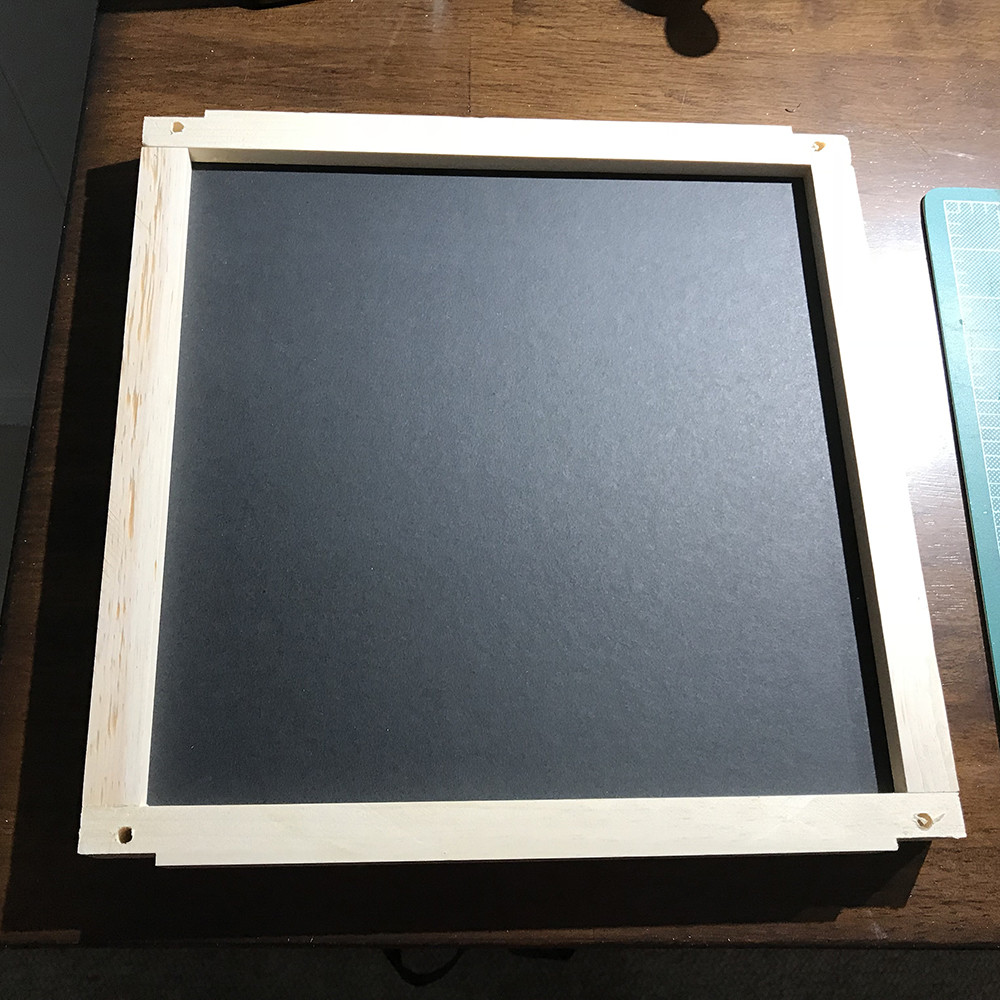
Here's what a panel will look like assembled. The final outer dimensions are still 12x12 inch. 

Before assembly all the frame pieces head off to the paint shop for a coat of flat black. 

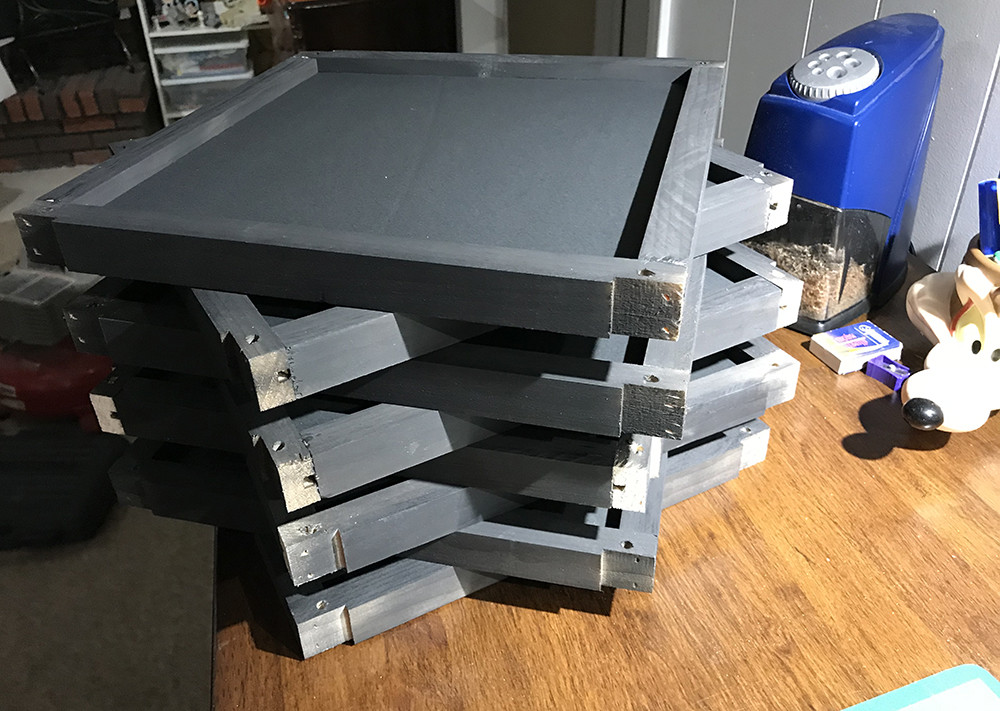
Here's the 8 panels that make up the scanner painted and assembled. Also you can see how little space it takes up when disassembled for shipping to storage.

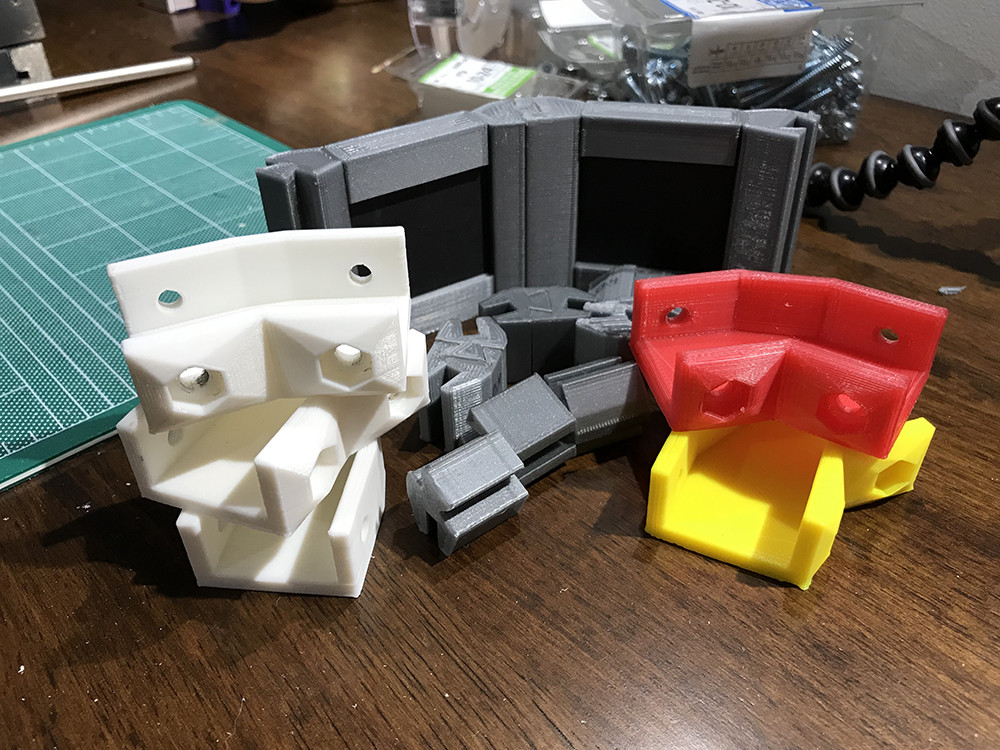
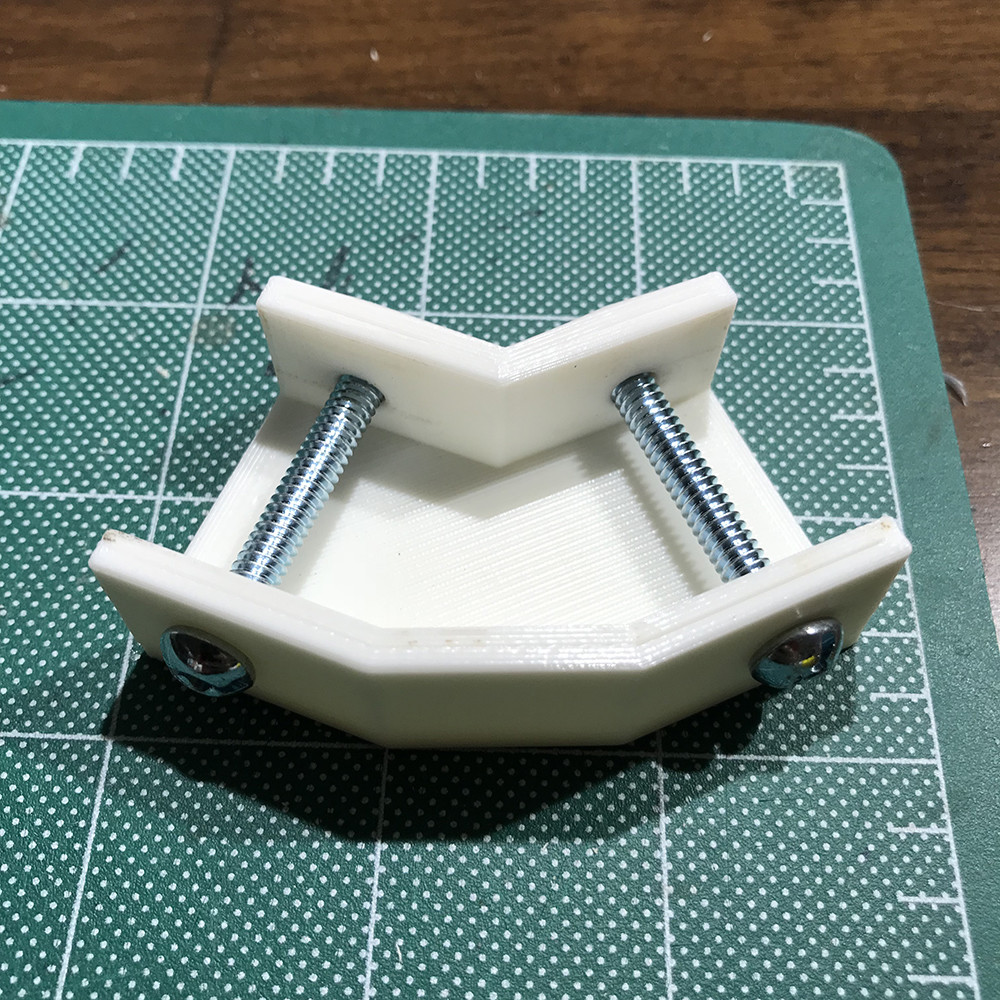
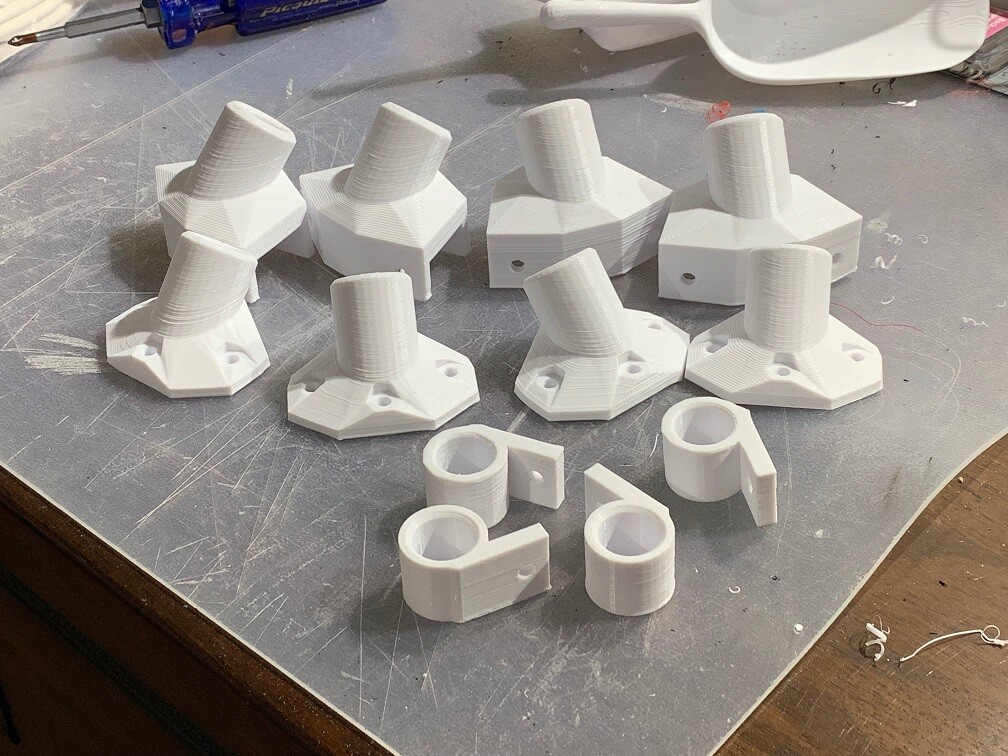
Now onto the brackets. These went though a few designs to get the size right and get the hole for the press fit nuts just the right size. The 3 white brackets were to get to this point, then I realized I had the angle of the bracket wrong, so after fixing that I tried some different colours and the red is PETG plastic instead of PLA, but I ended up just staying with white. So these brackets get added to the R&D cutting room floor.

Fresh batch of brackets coming off the assembly line :) Each bracket takes about 1hr to print so this batch take 6-7 hrs

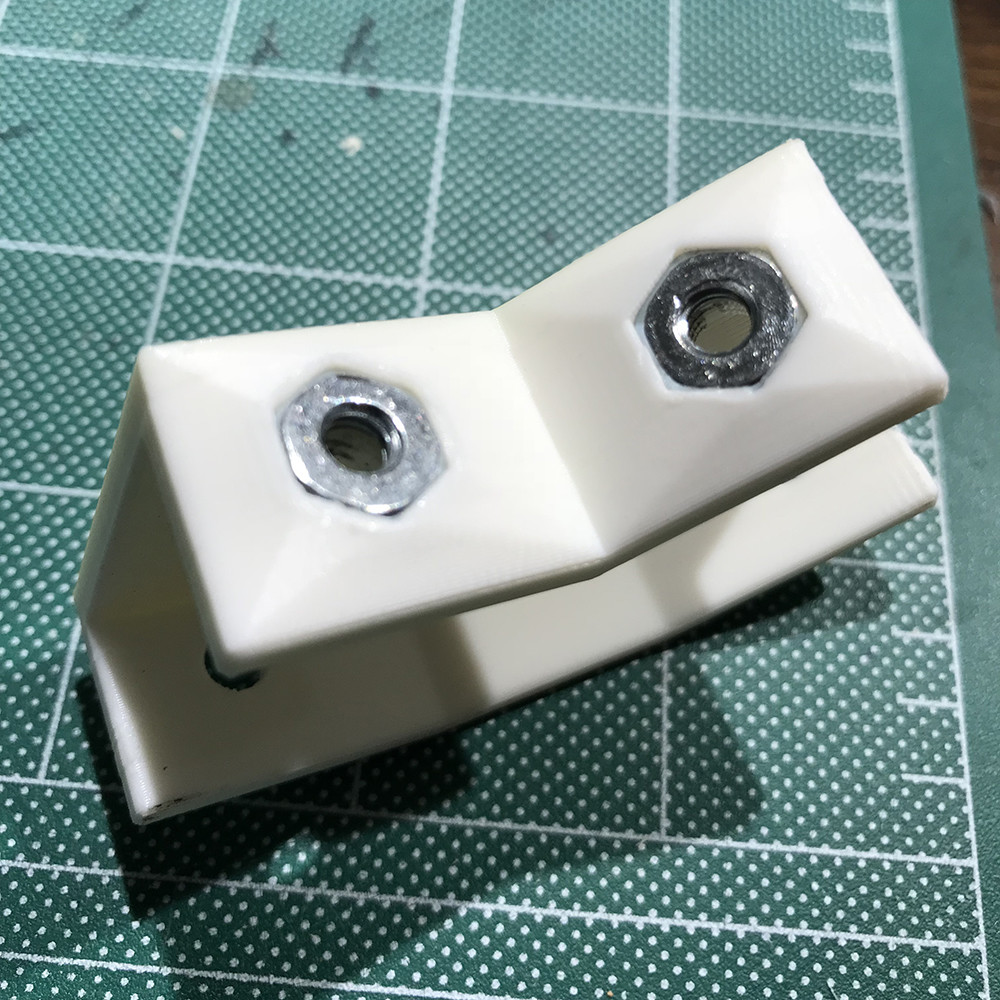
What the bracket looks like with the hardware installed. 

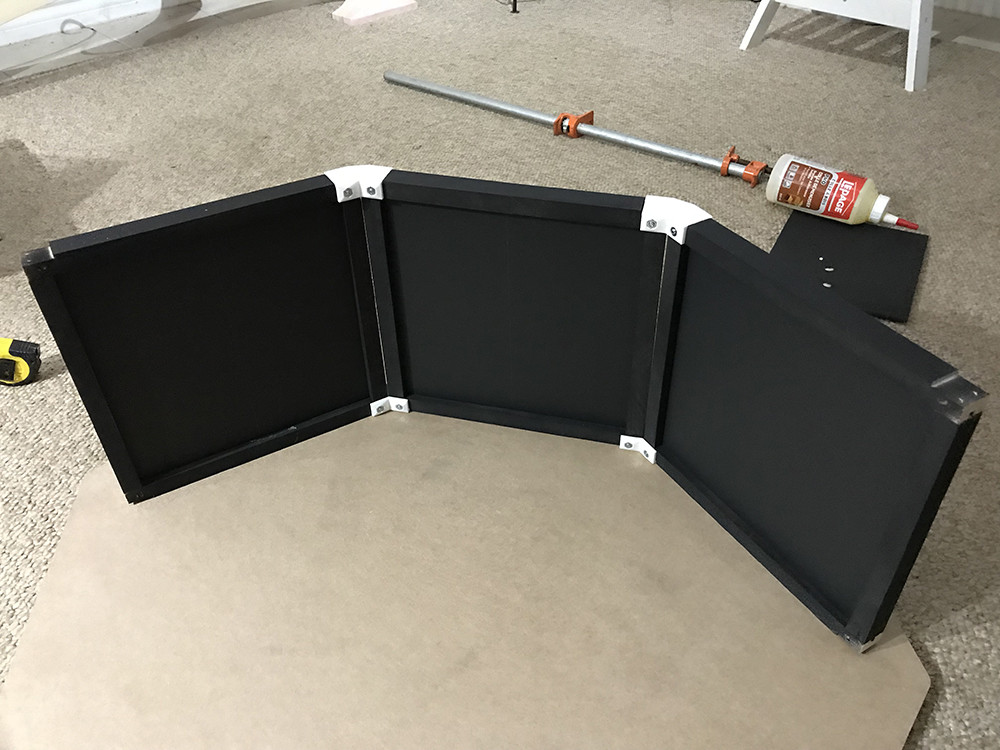
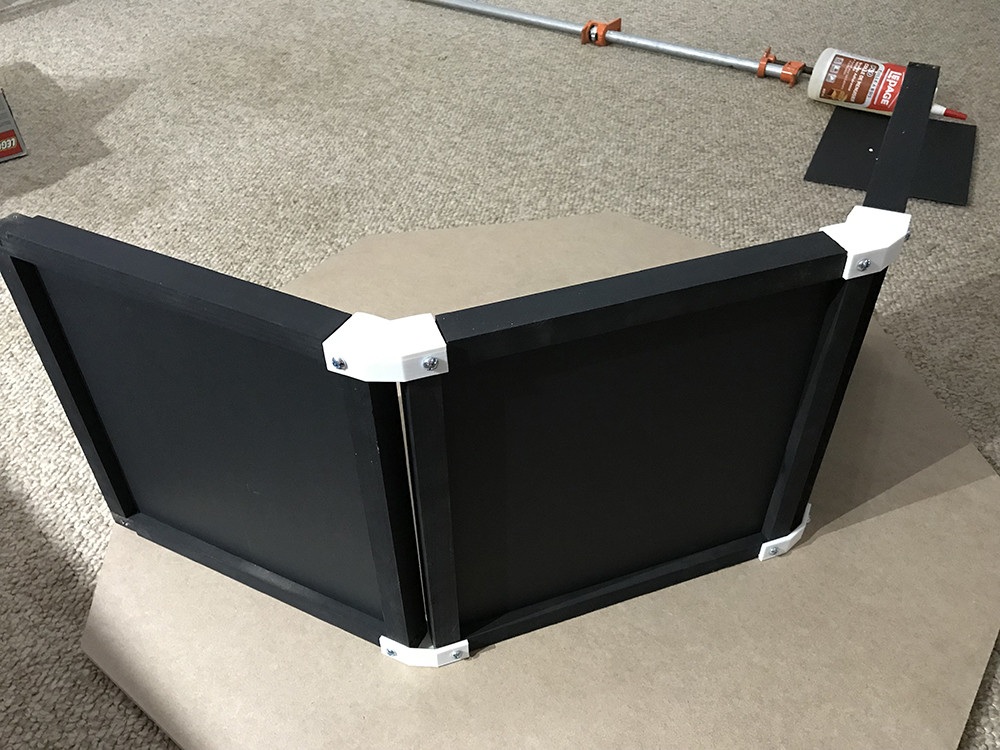
And the few panels assembled. 

They assemble and break down supper fast. There is a small gap between between the panels that may/may not be a issue in the end but is nothing strip of black tap on the inside can't fix.

Now that the walls are done next is designing a fixture that will hold the lights and mount them on the panels. 

Stay tuned and thanks for Reading.

Scanner 2.0

Making Of / 05 September 2018

It's taken quite a while but I've finally started working on Version 2 of my scanner. Something a little more polished, modular so it can be dissembled for storage or shipping, and a design that can be assembled as a kit.

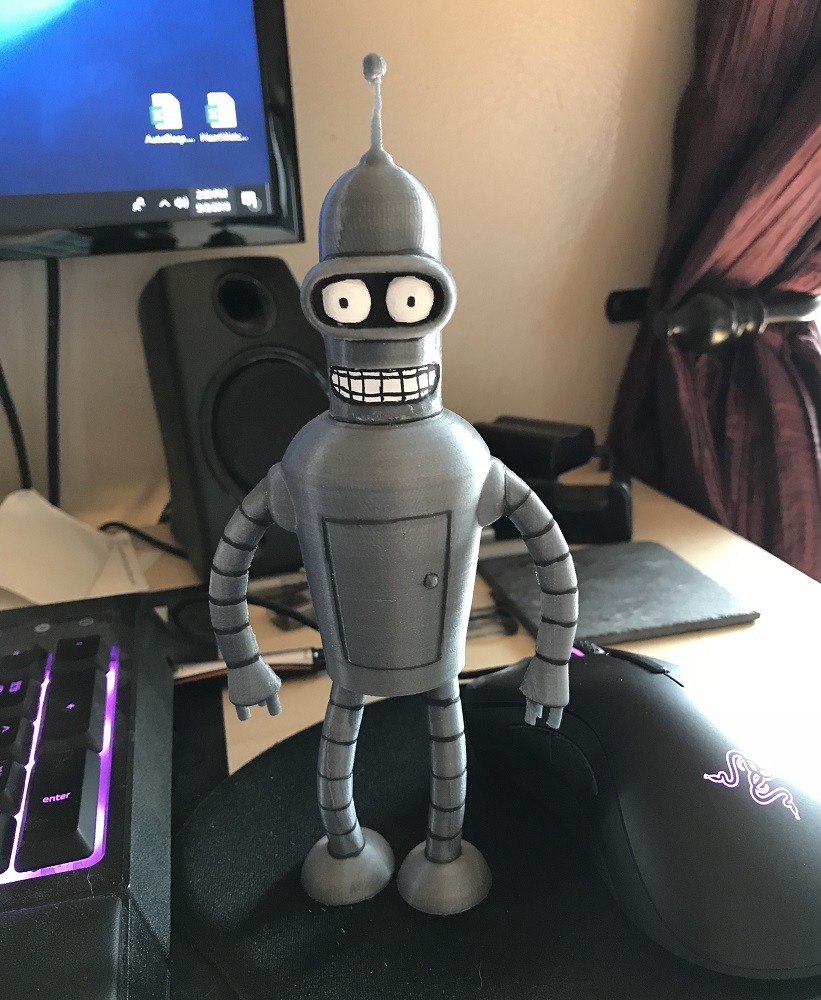
I recently picked up a 3D printer to help with this and I've been spending my time leaning the in's and out's of the printing world. Figuring out what is possible, best practices and doing test prints of super important stuff like Bender here. :)


Now that I have a good grasp of printing, the first task is to start at the beginning and figure out the eight side panels everything else is built on. To make this modular and a kit these panels need to easily attach together and break down for storage, but be a solid base. I'm also trying to keep the scanner the same size so each panel is a 12in x 12in square.


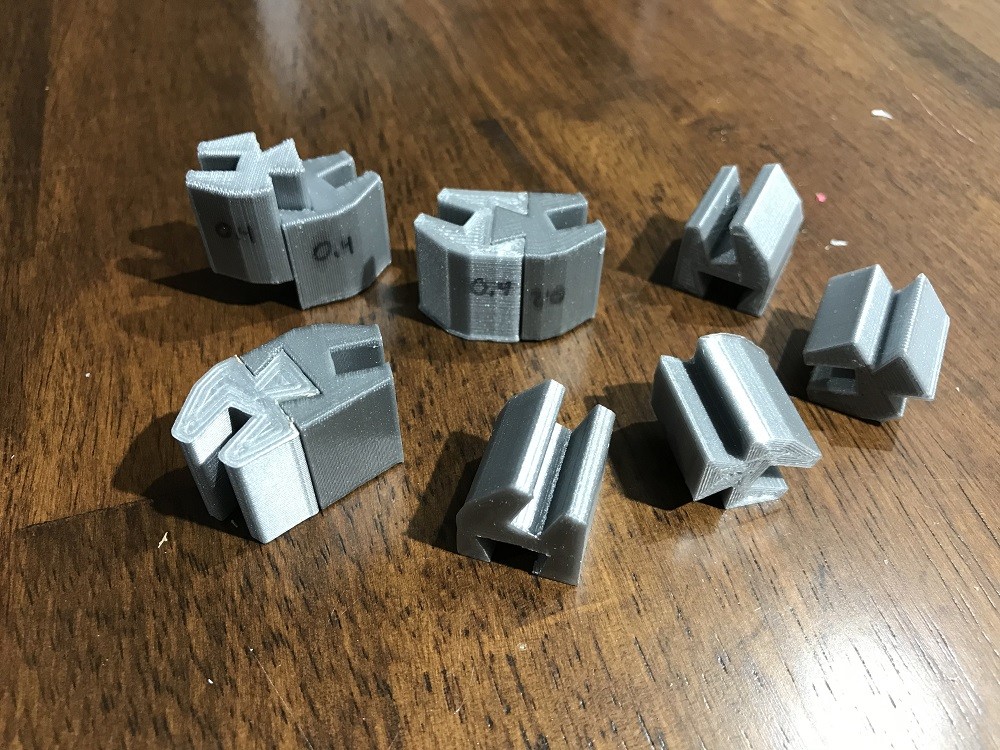
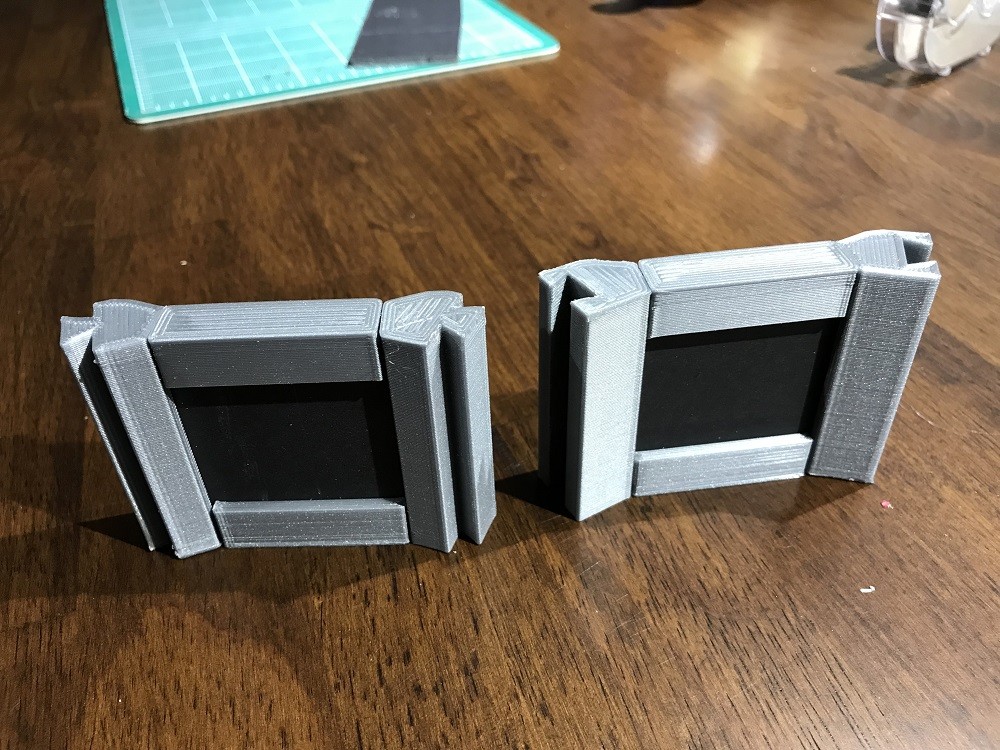
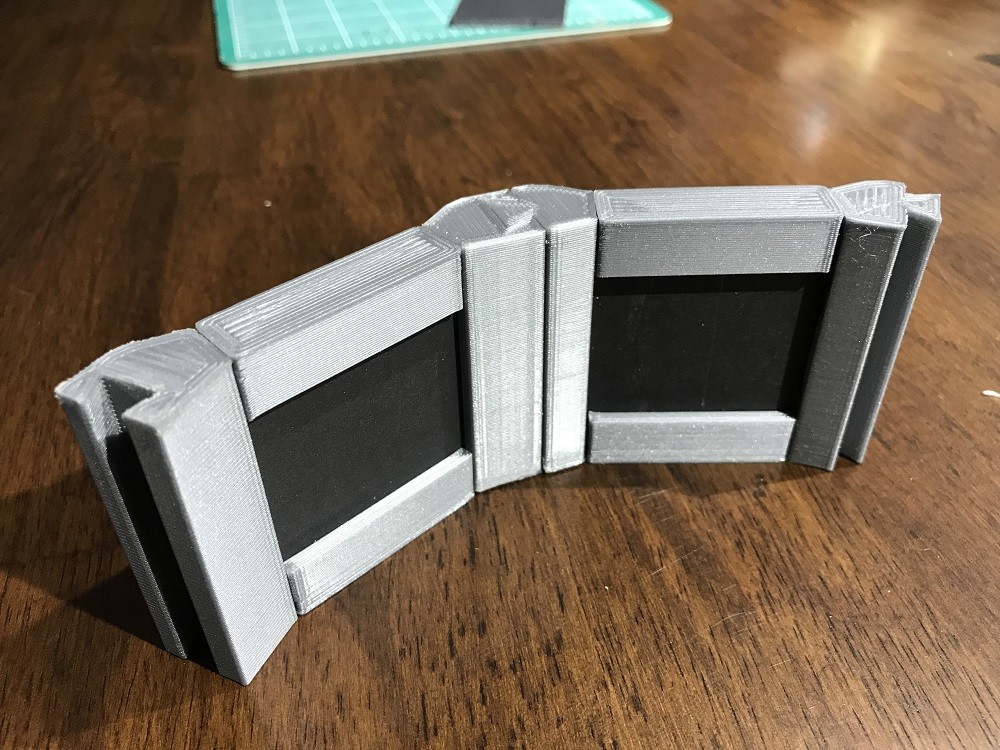
So my first thoughts were to stay with foam core for the panels as it's light, cheap, and ridged enough. So I would need to replace the solid wood frame with something else. I came up with a dovetail rail that on one side had a slot for the foam core panel and on the other a dovetail joint allowing the panels to slide together locking them in place. This involved a bunch of iterations to have a shape that could be printed well and test prints to get the tolerances just right so the joints weren't too tight or too loose. Also trying different print settings to speed and quality.


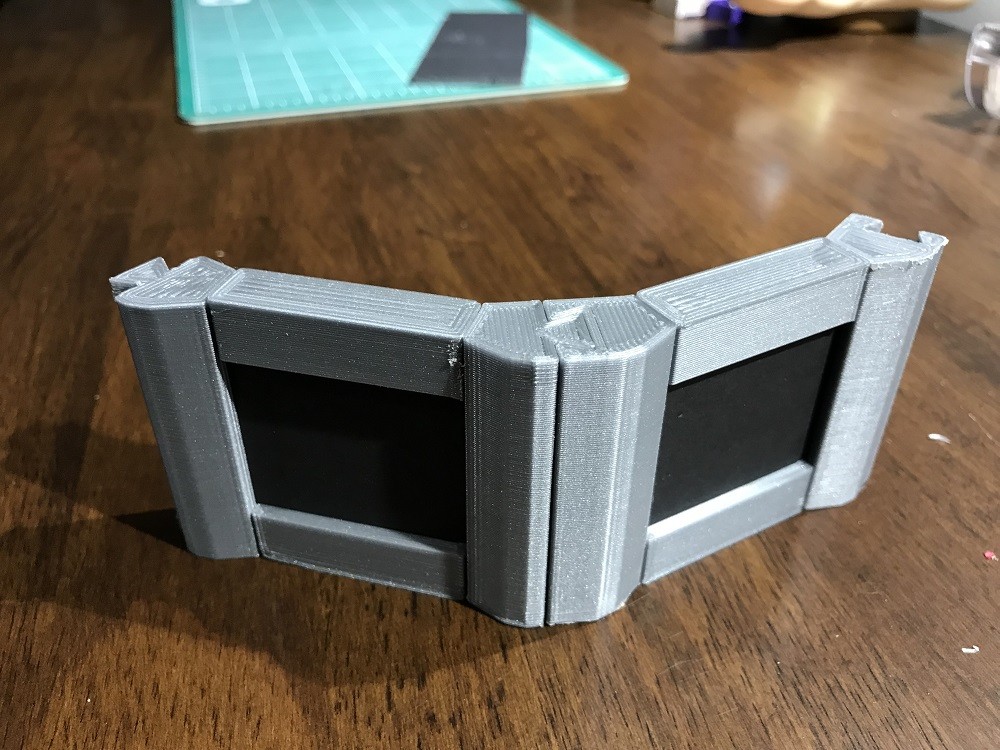
The final prints were done at 0.4mm resolution. Even though this was pretty coarse it cut the print time in 1/2 and as long as the dovetail pieces were printed vertically  the resolution was still high enough to have a good joint. If printed on their side the parts of the piece that were angled suffered from pretty bad stair stepping.

  Once I had a design that worked I printed out a small scale test and it came out pretty good.


There is one issue though, the time to print the full scale pieces would just take too long.

This scale test of eight pieces took 2hrs, and the full scan for all eight panels would take something like 5 days... just not particle. If I was injection molding the parts on a assembly line it wouldn't be a issue but I'm not so its back to the drawing board. I'm thinking of moving to 1/4 wood panels with wood frames so the panels are structurally sound and just need to be held together. Cutting wood strips on the table saw is a much faster process :) 

Stay tunes for more updates and if you got this far thanks for reading.
Testing the Replicator

Making Of / 06 August 2018

After getting the initial tests and calibration prints out of the way it was time to try replicating something by scanning it and the printing. 
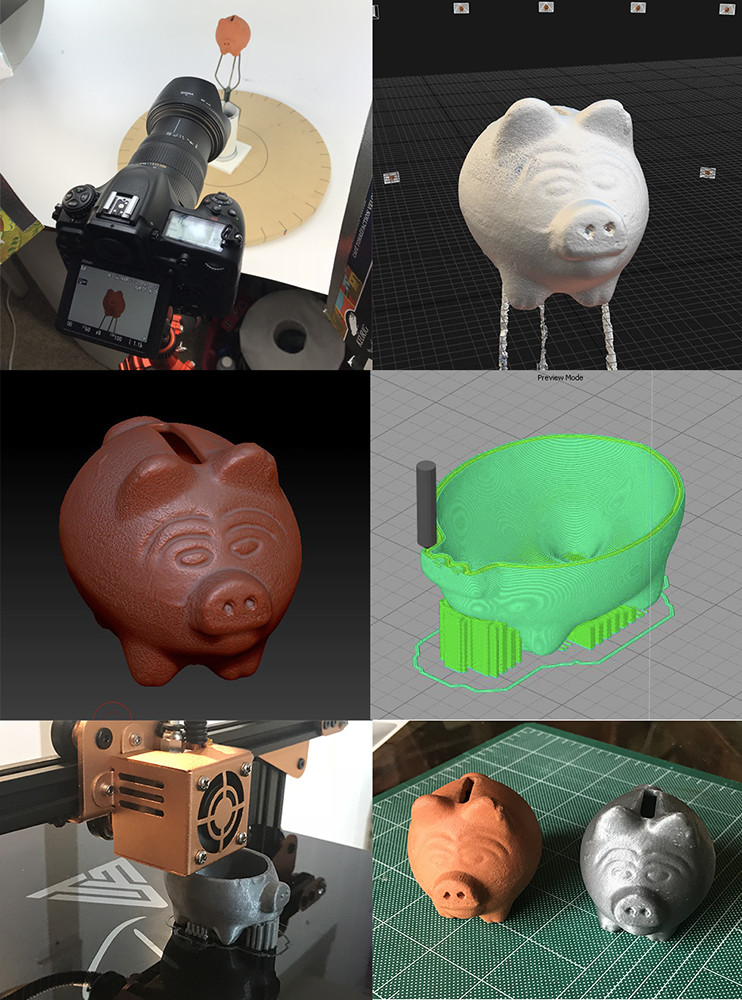
The subject was a small clay piggy bank. Pictures below show the steps which were:
  1. Shoot images on my turn table, about 100 images or so.
  2. Construct mesh in RC. 
  3. Clean up mesh in Zbrush, then in MeshMixer create the hollow volume inside the mesh, then back to Zbrush to Boolean out the coin hole
  4. generate the .gcode file for printing in Simplify3D
  5. Fire up the printer and wait.
  6. Last is side by side comparison.

Quite happy how this all went and only took about 5-6 hrs. 1-2 hrs shooting and processing, 1-2 hrs cleaning and prepping (mostly because I was learning Meshmixer and Booleans in Zbrush), and 2 hrs printing.